
Features
Everything a reader app should be
Bookbeam Reader is an Android app made for e-ink first: calm, fast and crisp on BOOX and e-ink tablets, and just as good on your phone. Here's what's inside.
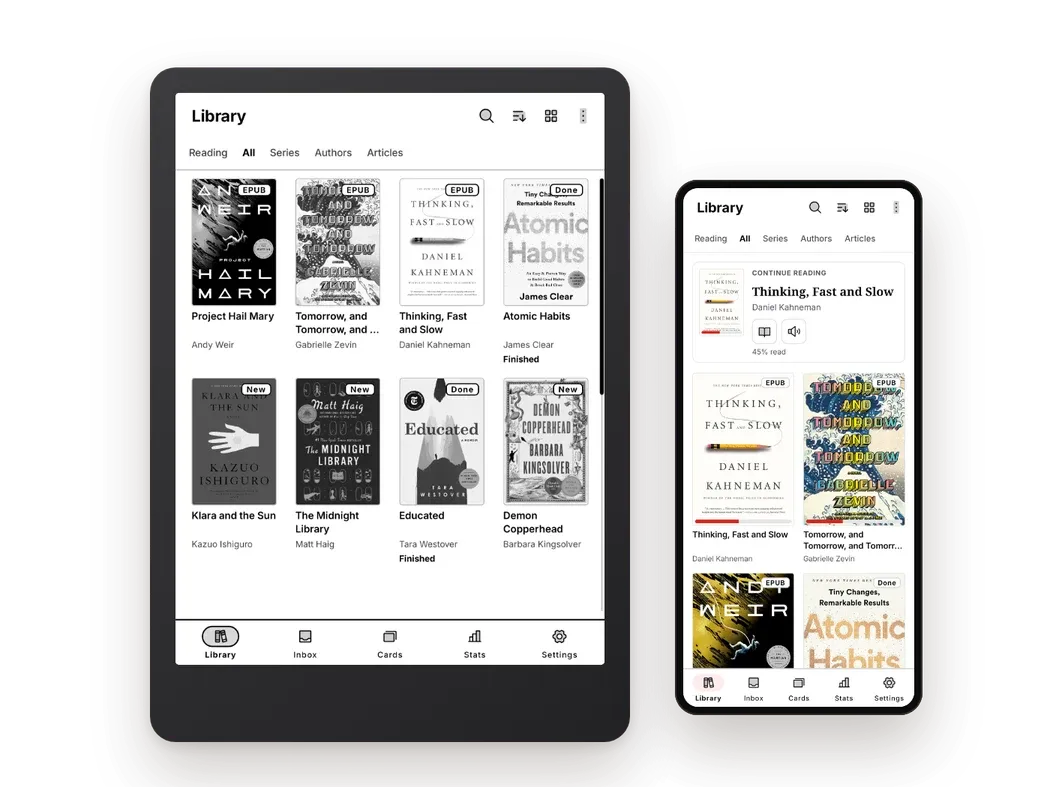
Your whole library, beautifully organised
Real covers, series, authors and collections, with what you're reading always one tap away. EPUB, PDF, MOBI, FB2, TXT and CBZ comics all live in one place, alongside articles you send from the web. Everything syncs to your e-reader, phone and web library, and downloads for offline reading.
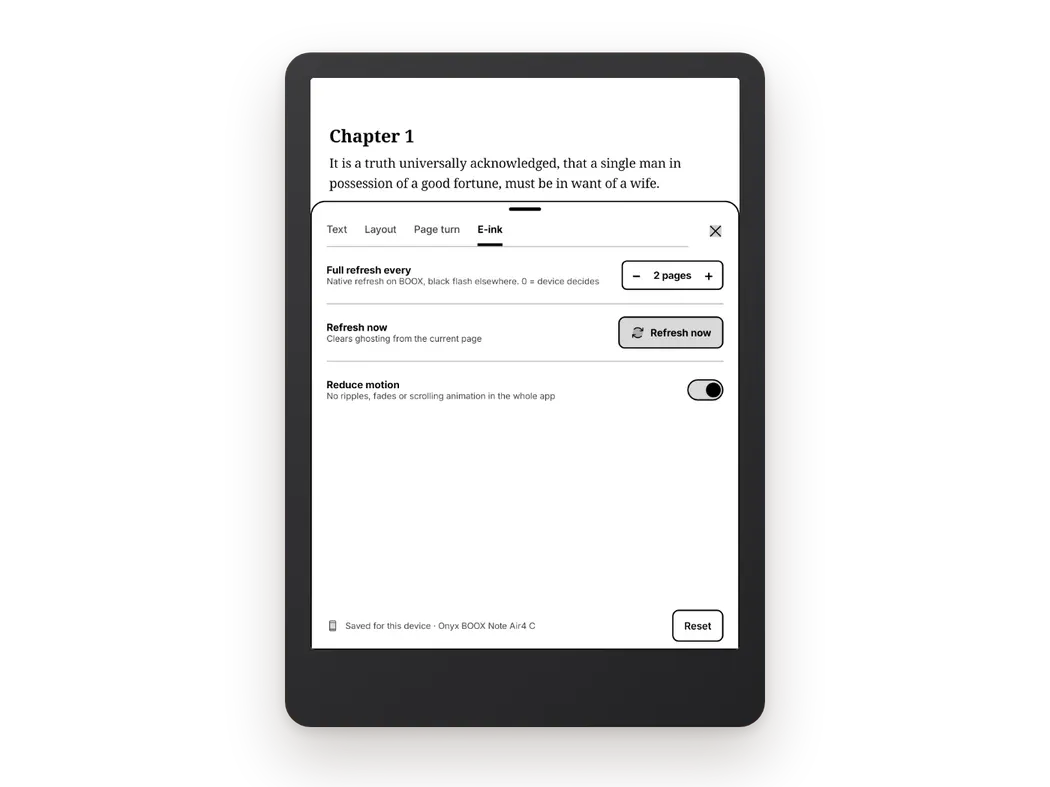
Crisp on e-ink, by design
Paged screens with no scrolling and no animations, so text stays sharp. Choose how often the screen does a full refresh to clear ghosting, refresh by hand whenever you like, and turn off motion everywhere. Bookbeam remembers settings per device, so your BOOX and your phone each get what suits them.
Turn pages your way
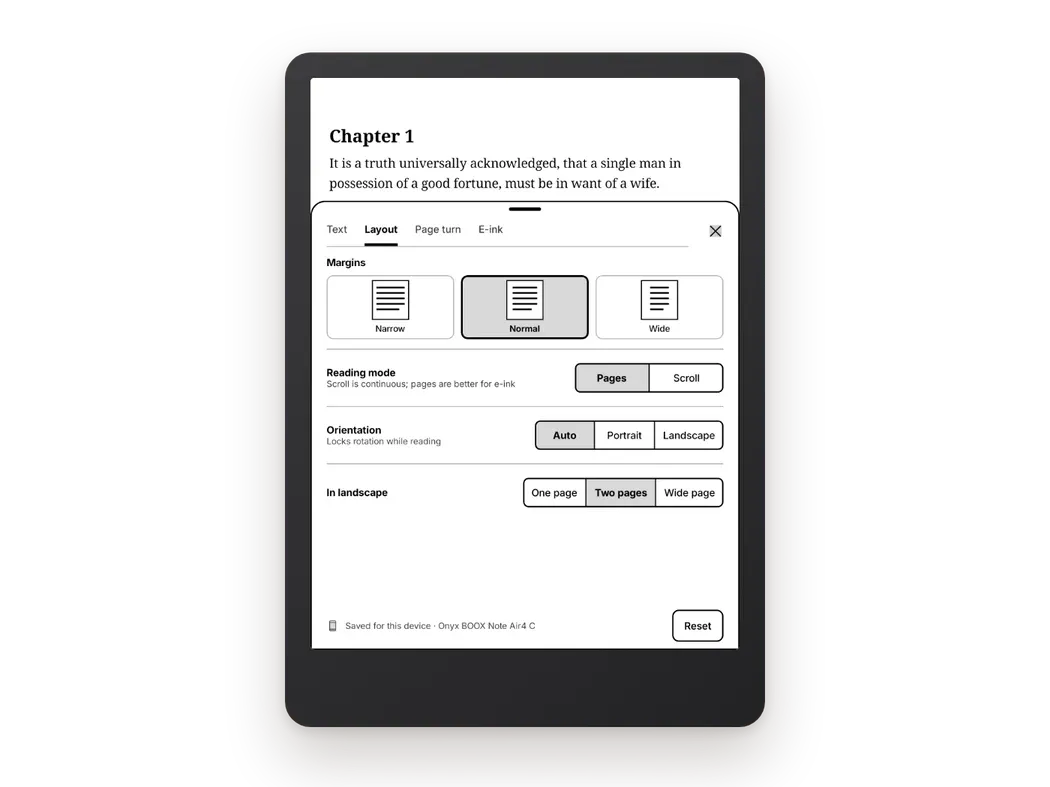
Pick tap zones that suit how you hold the device, mirror them for your left hand, or use volume keys and Bluetooth page turners. Fonts, size, margins and line spacing are all yours to tune, with a live preview as you go.
Listen with natural voices
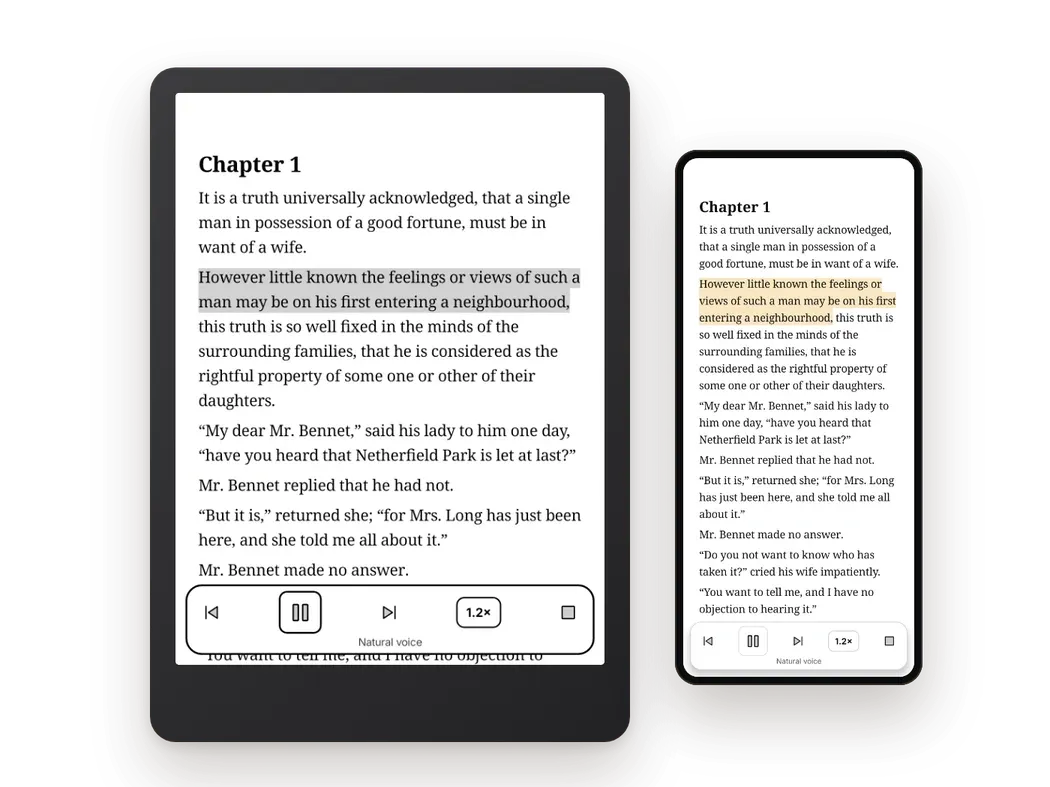
Tap play and Bookbeam reads your book aloud in a natural voice, highlighting each sentence as it goes. Change the speed, skip by sentence, and carry on reading from exactly where the voice stopped. Voices for more than 30 languages.
Read in two languages at once
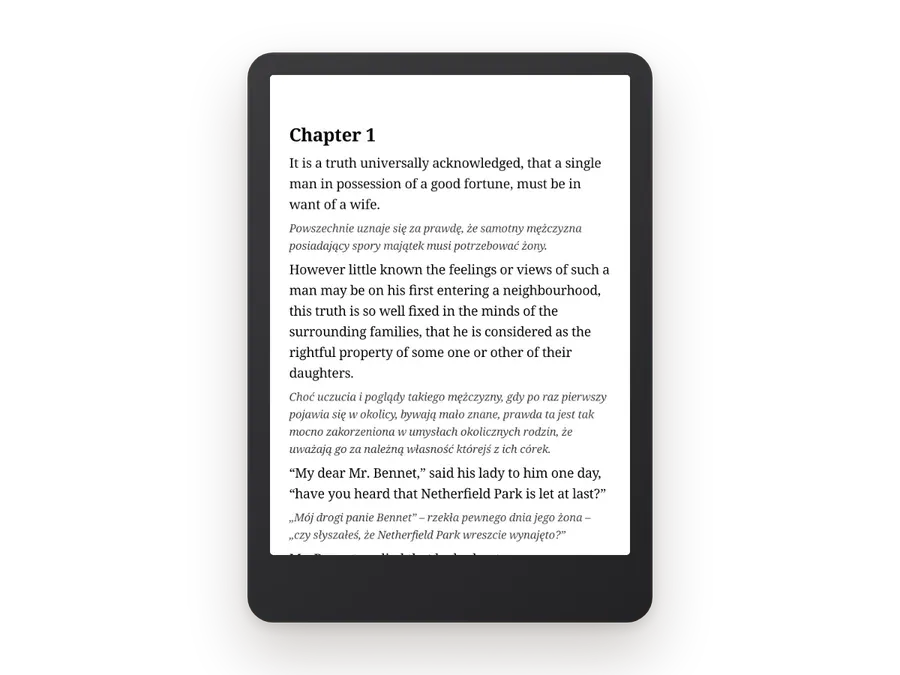
Turn on bilingual reading and a translation appears under every paragraph, in any of 50+ languages. Read the books you love in the language you're learning, glance down when you get stuck, and keep going.
Book guide, without spoilers
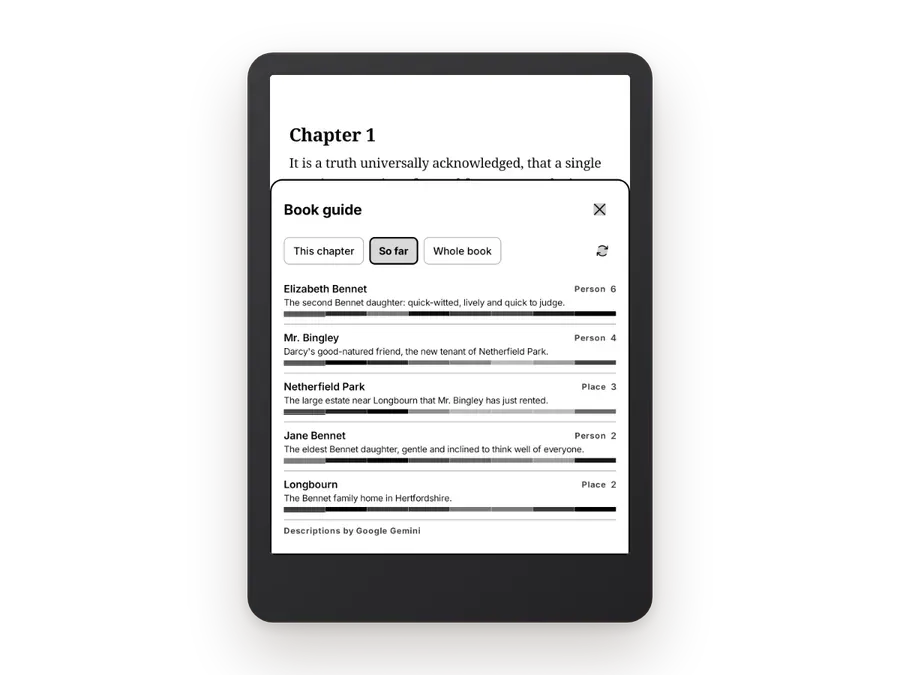
Forgot who someone is? Open the Book guide for the people, places and terms in your book, each with a short description written only from the pages you've already read.
Turn new words into flashcards
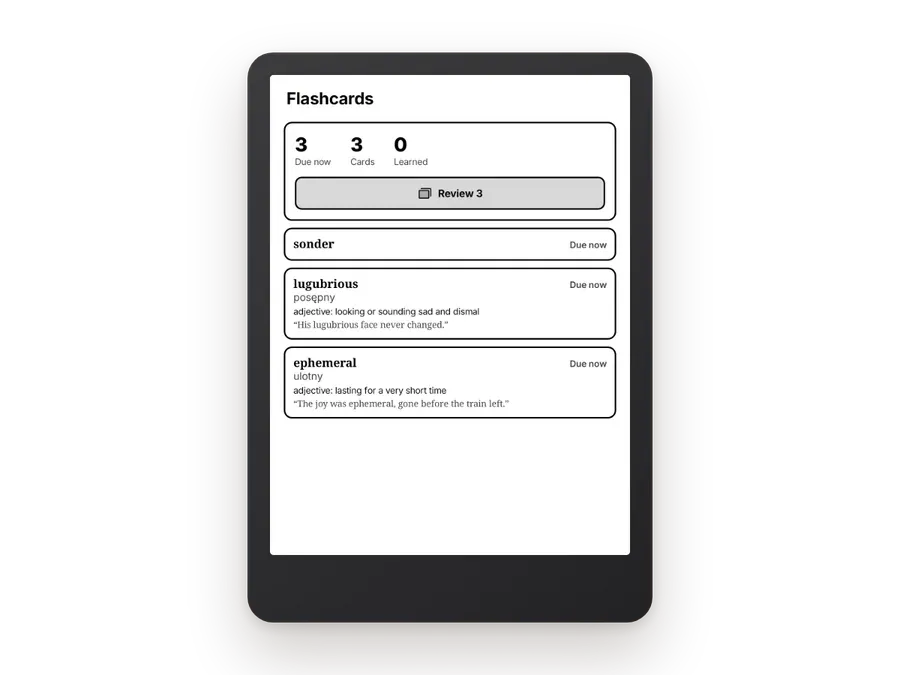
Tap any word for a dictionary definition or translation, save it with the sentence it came from, and review your words later as flashcards. Your vocabulary grows with every book.
Bring the web along
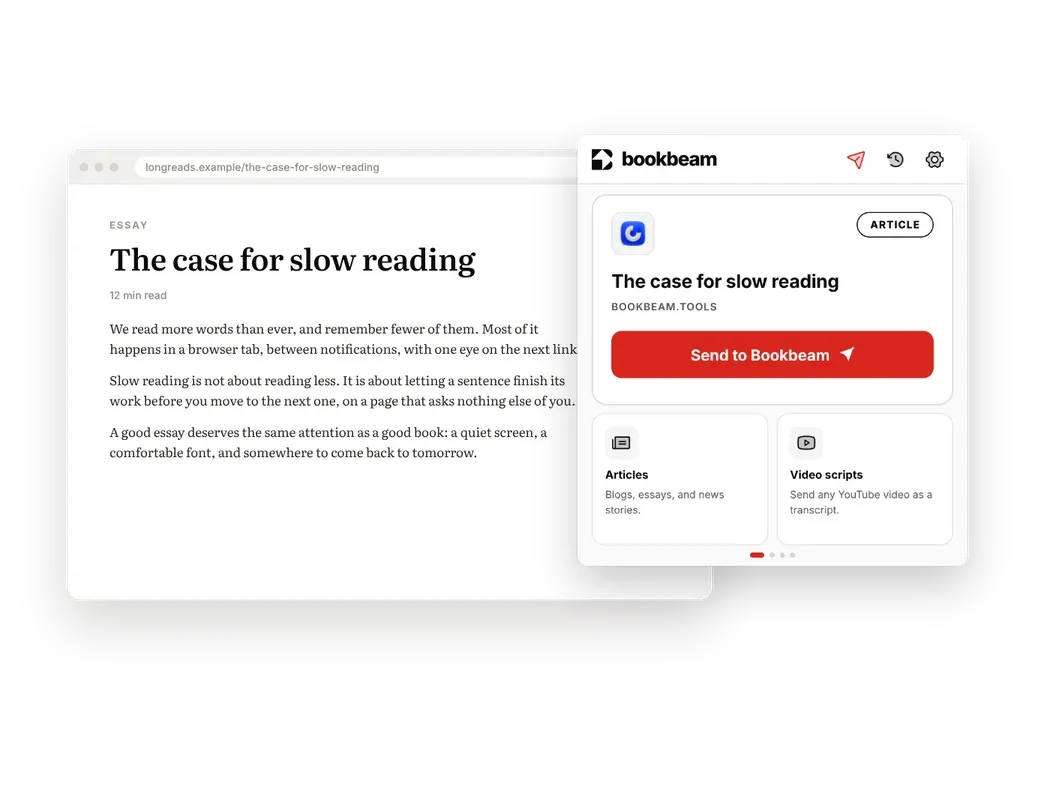
Add the free Chrome extension and any article or YouTube video becomes a clean book in your library in one click, ready on your e-reader seconds later.
Hidden gems
Things Bookbeam Reader does that most people only find by accident.
Bluetooth page turners
Clicker remotes and page-turner pedals just work, with one page per press even when a remote sends double signals. There's a button tester to check yours.
Turn pages with your headphones
Press play/pause on Bluetooth headphones for the next page, double-press to go back, or use the track buttons. Perfect for reading hands-free.
Volume keys, your way
Turn pages with the volume buttons, and reverse the direction so volume up goes forward if that feels more natural.
Folders that fill themselves
Point Bookbeam at a folder on your device and new books saved there appear in your library automatically, then back up to your other devices.
Calibre, Audiobookshelf and KOReader
Browse your Calibre library or any OPDS catalogue, connect Audiobookshelf for audiobooks, and keep reading progress in step with KOReader.
Bolder text for e-ink
Text weight and a contrast boost darken thin fonts and grey text, so pages stay sharp on lower-contrast screens. Or switch publisher styles off for your own fonts.
Your own dictionary app
Prefer GoldenDict, ColorDict or the BOOX dictionary? Send look-ups there instead, and still save words as flashcards.
Follow along while listening
During read-aloud, pages turn by themselves as the voice reads. Offline, Bookbeam falls back to your device's own voice so you can keep listening.
Landscape side rail
Read in landscape and the menu moves to a slim side rail, so it never covers the text. Downloads can wait for Wi-Fi, too.
And the little things
The details that make Bookbeam Reader feel like it was made by people who read every day.
Highlights and notes Mark passages in four colours, add notes, and find them all again in one place, on every device.
Reading stats Time read, pages turned and books finished, so you can see your reading habit grow.
Works offline Books download to your device and open anywhere. Progress and highlights sync next time you're online.
Your next book is waiting
Get the Bookbeam Reader app for Android, BOOX and e-ink tablets. Free to start, with a 7-day Pro trial.