
Android Auto · Pro
Your books, read aloud in the car
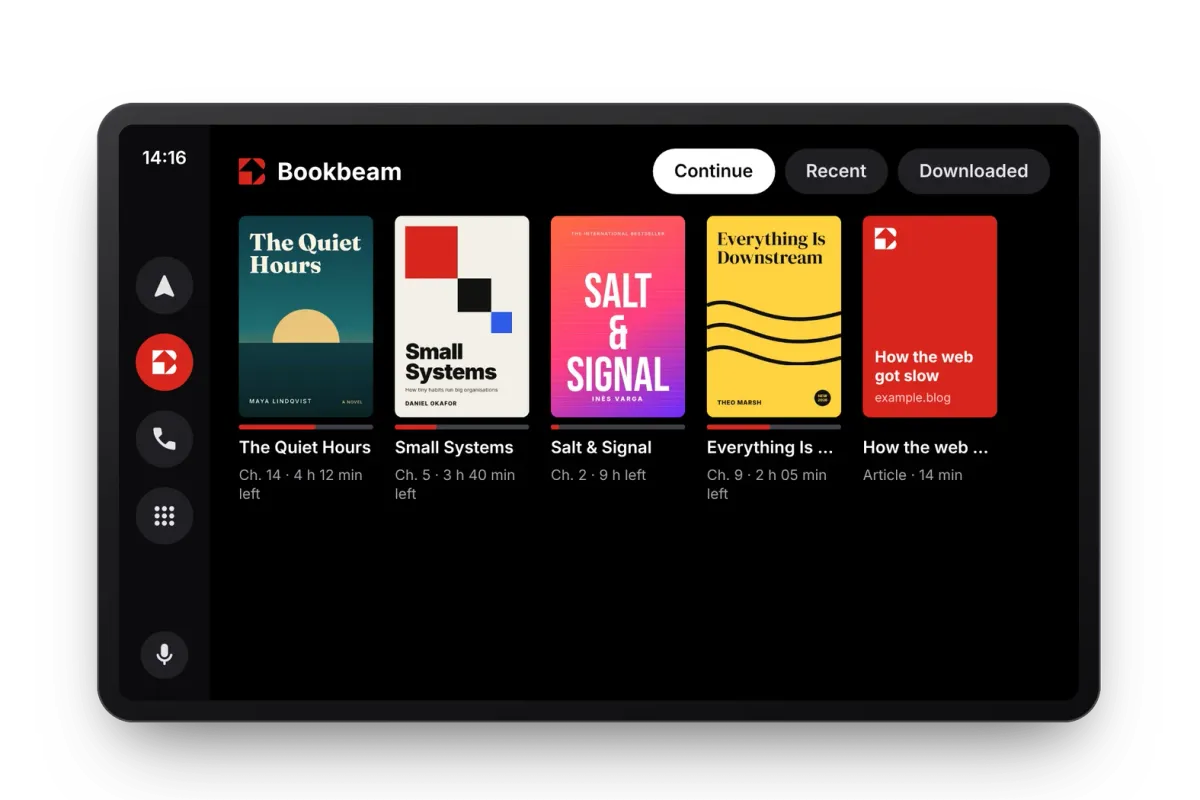
Bookbeam reads your books on your car's screen. It starts at the sentence where you stopped on your phone or e-reader, and you browse what you're reading, recent books and downloads with a tap.
Now playing
Natural voices on the road
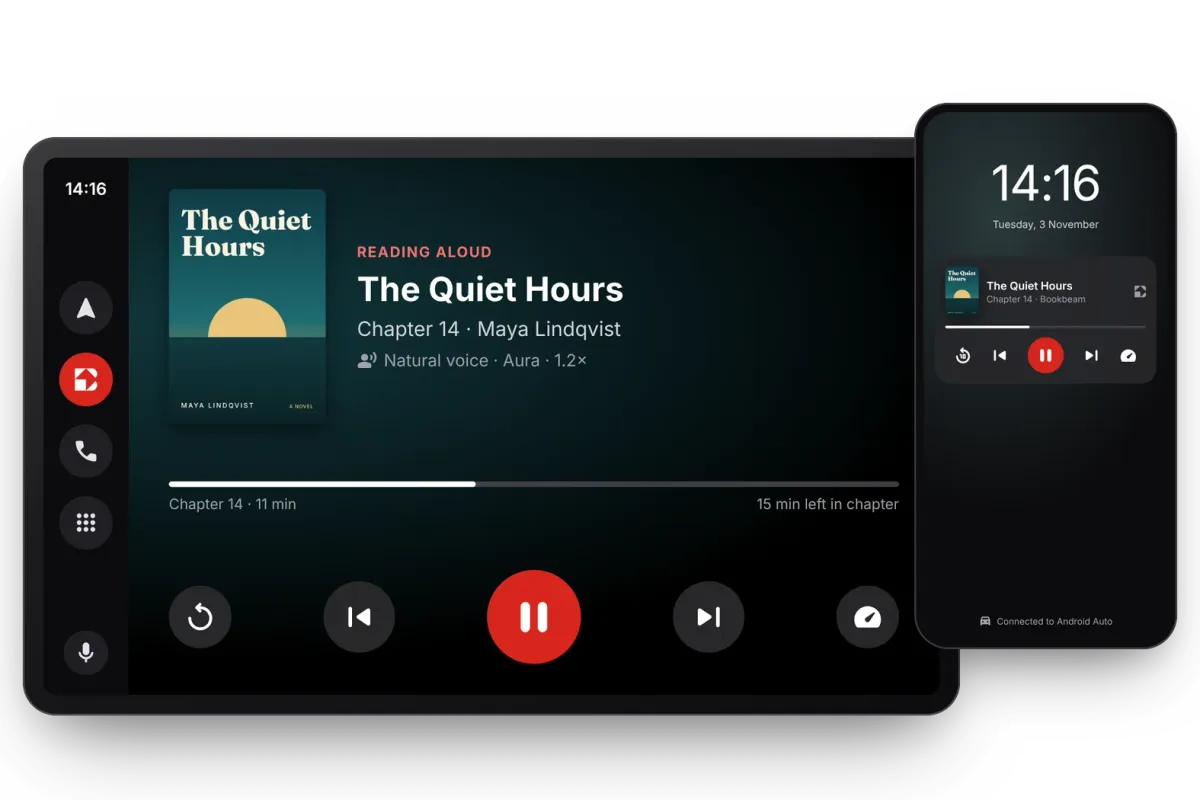
The book you're listening to fills the screen, with big buttons to pause, skip, go back to the start of a sentence and change the speed. Use the controls on your steering wheel too. When you park, playback carries on from your phone's lock screen.
Chapters
Every chapter, one tap away
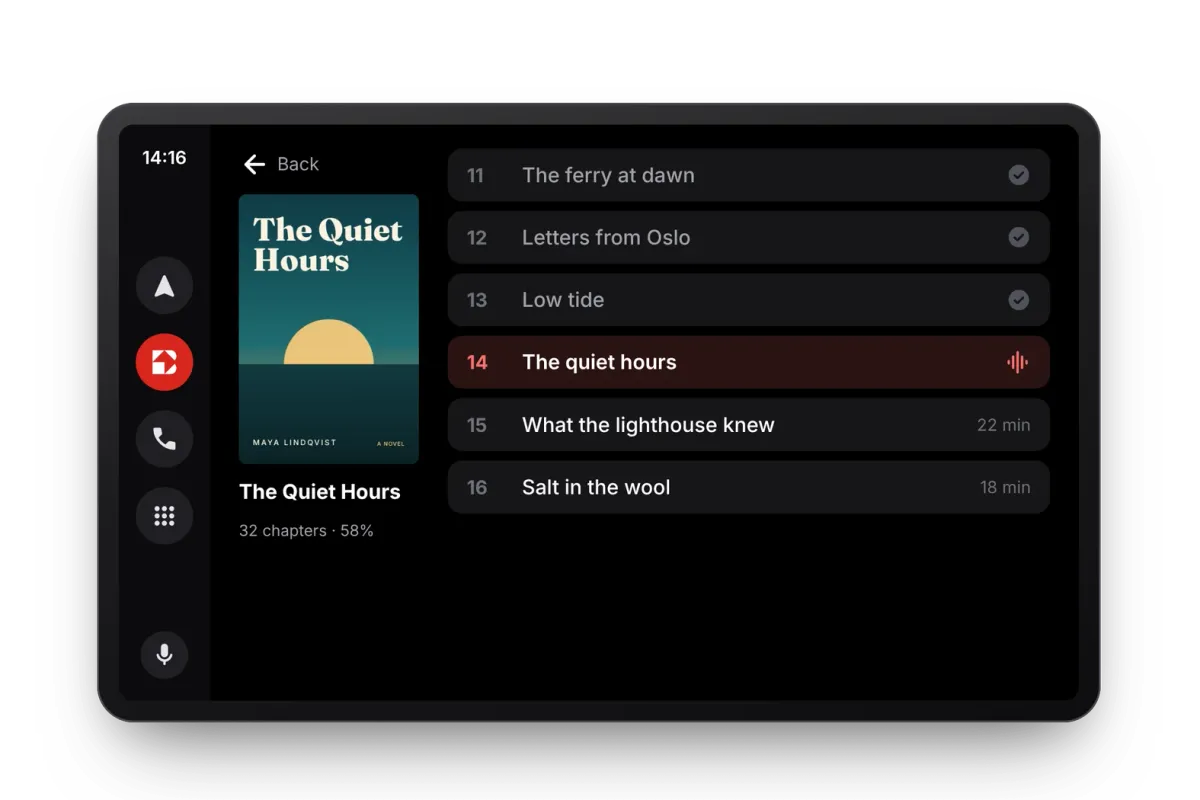
Open a book to see its chapters, with the ones you've finished ticked off and the minutes left on the rest. Or keep your hands on the wheel and ask Google Assistant to play your book on Bookbeam.
Get started
Take your books on the road
Get Bookbeam for Android, connect your phone to Android Auto, and your library is on your car's screen. Android Auto is part of Bookbeam Pro, and new accounts get a 7-day Pro trial. Your place stays in sync with your phone and e-reader.