
Language learning
Learn a language with books you love
Read in two languages at once, look up any word with a tap, and turn new words into flashcards that follow you from your e-reader to your phone and watch. Bookbeam Reader turns every book into a lesson.
Bilingual reading · Pro
Read in two languages at once
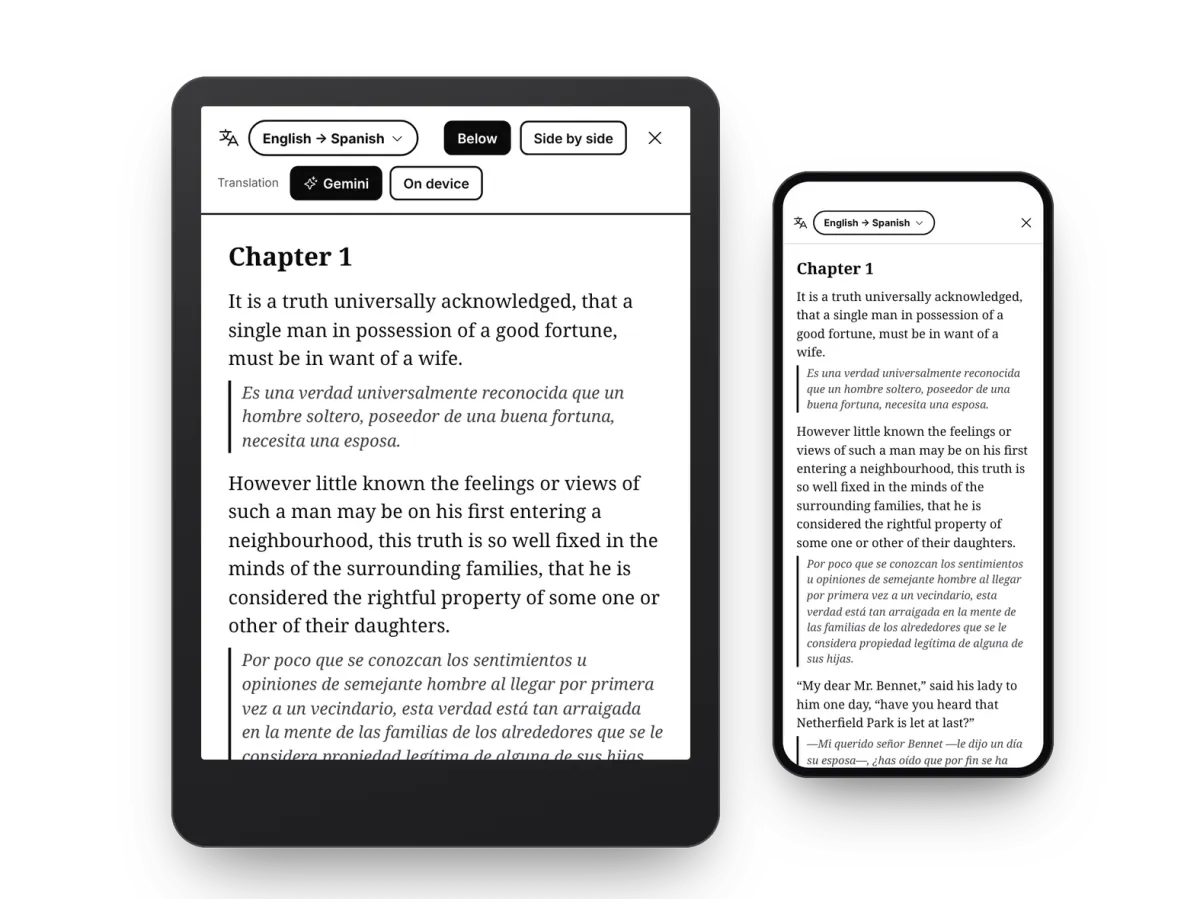
Turn on bilingual reading and a translation appears under every paragraph. Read the book in the language you're learning, glance at your own when you get stuck, and keep going. Bilingual reading is part of Pro, with on-device translation or Gemini for translations that read like a published edition.
Horizontal mode · Pro
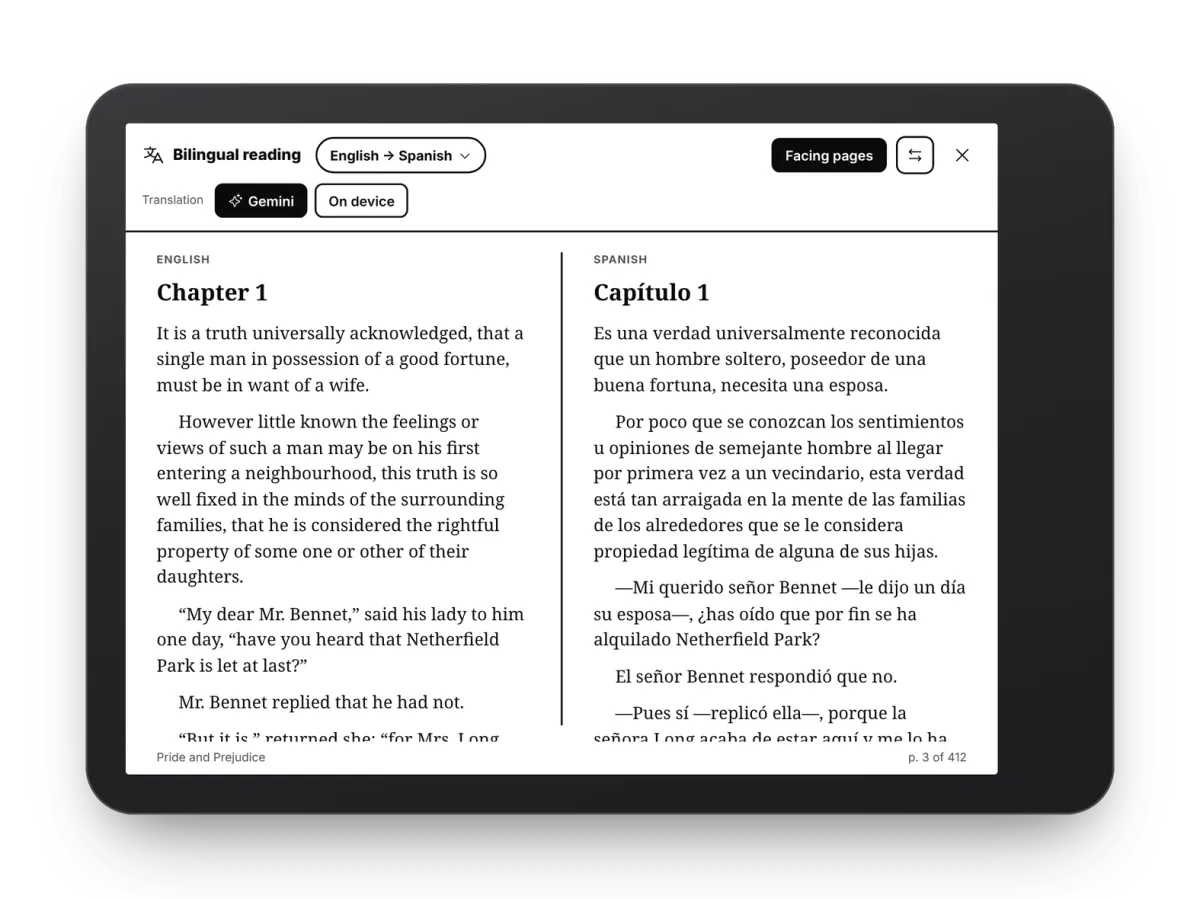
Facing pages, like a parallel text
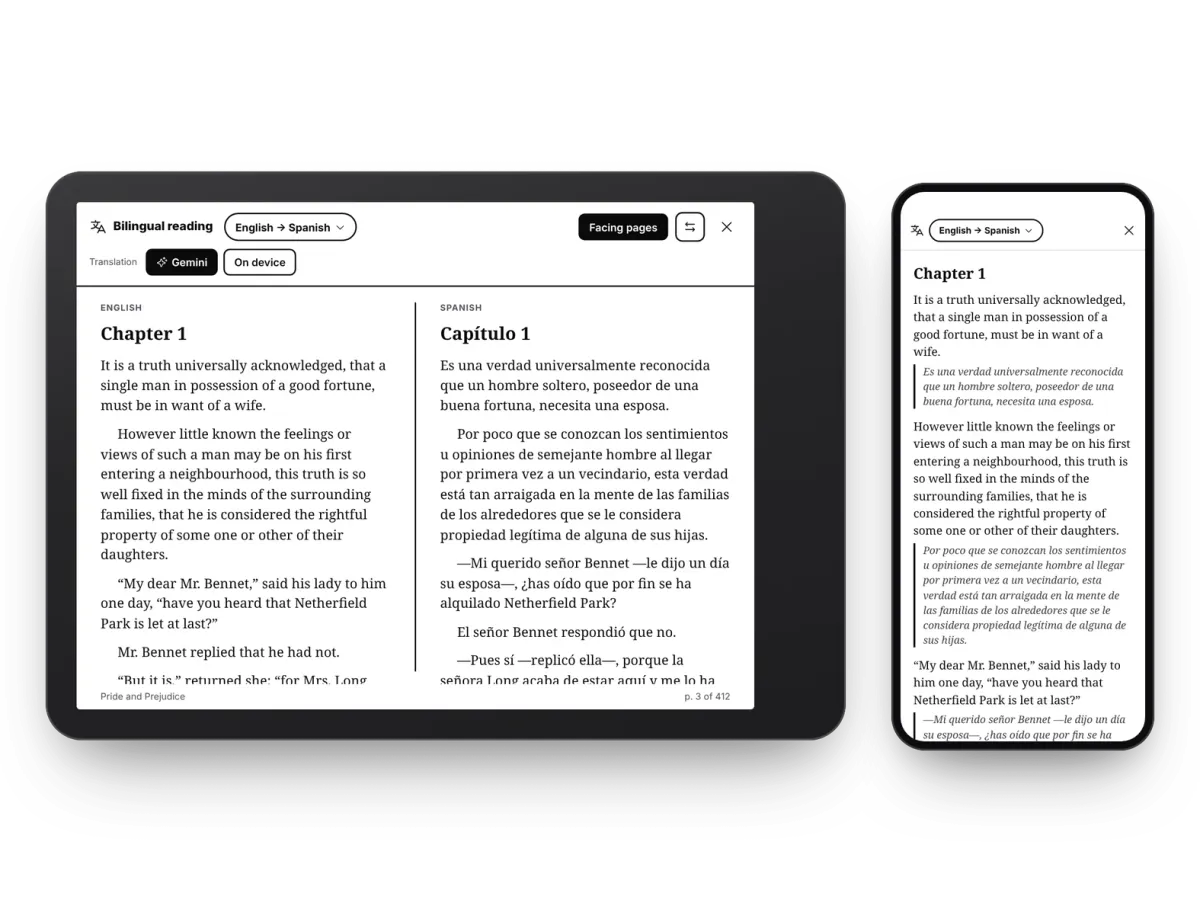
Turn your tablet sideways and the book sits on one page with its translation on the other, paragraph for paragraph, like a parallel-text edition. Swap the sides with one tap, or go back to translations in the text.
Side by side · Pro
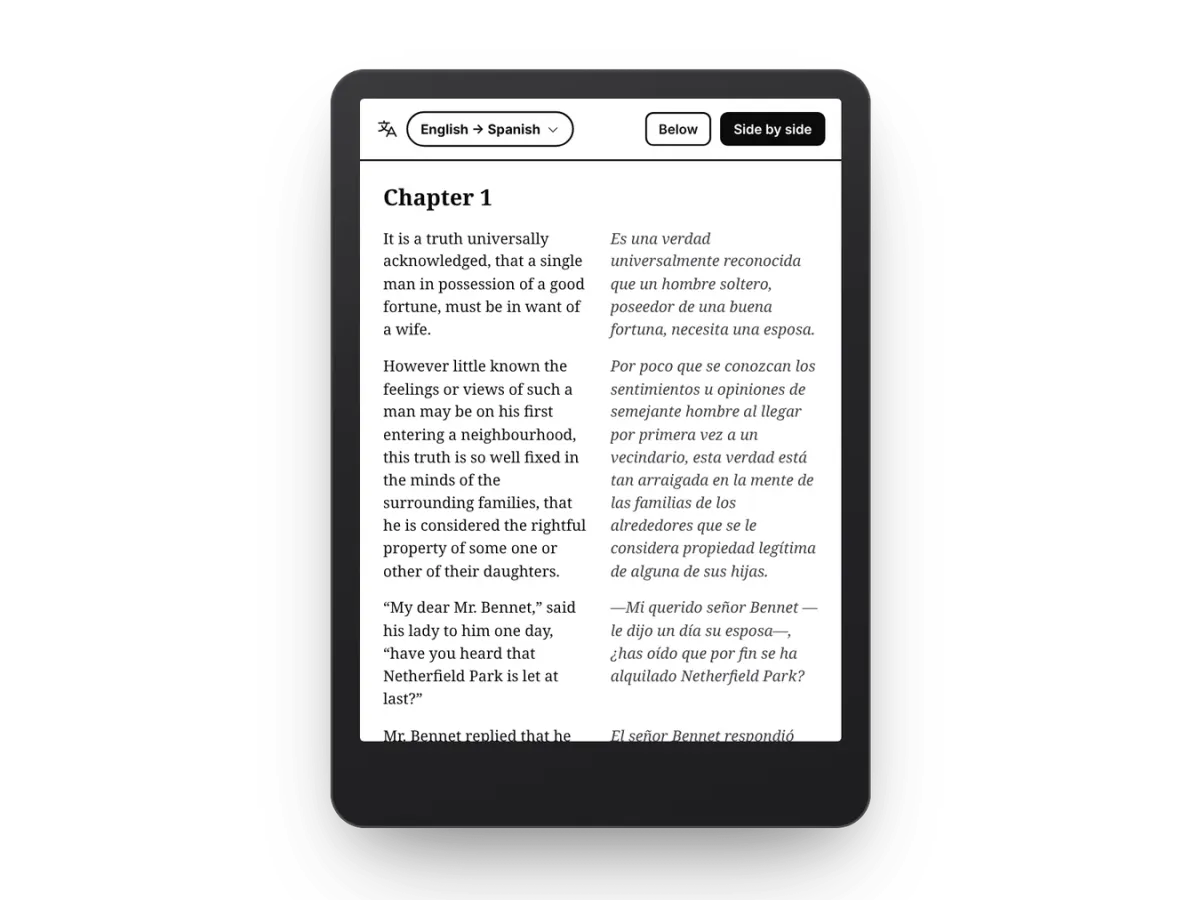
Two columns when you hold it upright
Prefer portrait? Put each paragraph and its translation next to each other in two columns, or keep the translation underneath. On phones, translations sit below the original so the text stays easy to read.
Gemini · Pro
Translations that understand the book
Choose how each book is translated. On device works offline. Gemini reads each paragraph in context, so names, tone and dialogue come out natural. It translates the page you're on and the next couple, so pages are ready as you turn them. Both come with Pro.
Dictionary
Tap any word
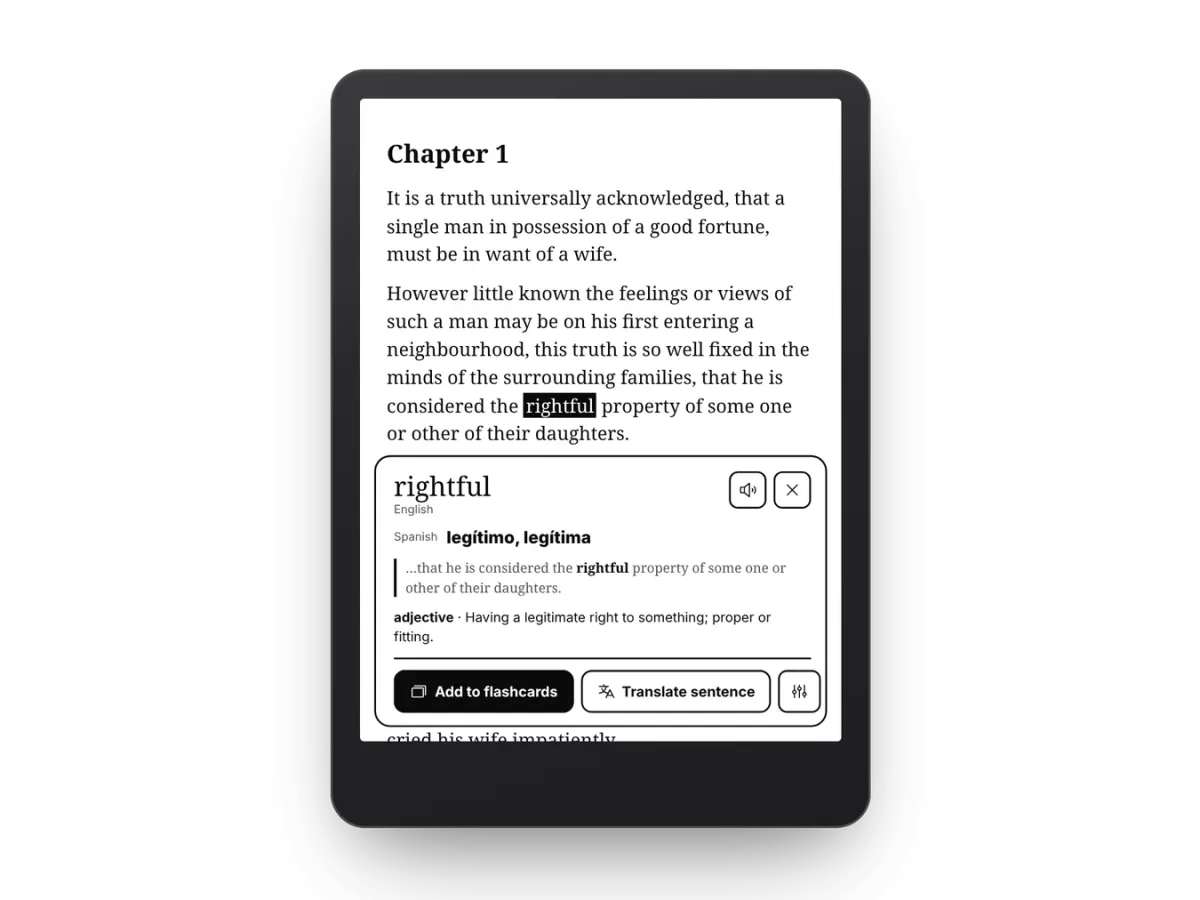
Select a word to see its translation, its meaning and the sentence it came from. Hear it pronounced, translate the whole sentence, and add it to your flashcards in one tap. Look-ups translate on your device for free, and Pro adds Gemini; definitions come from Wiktionary.
Translate a selection
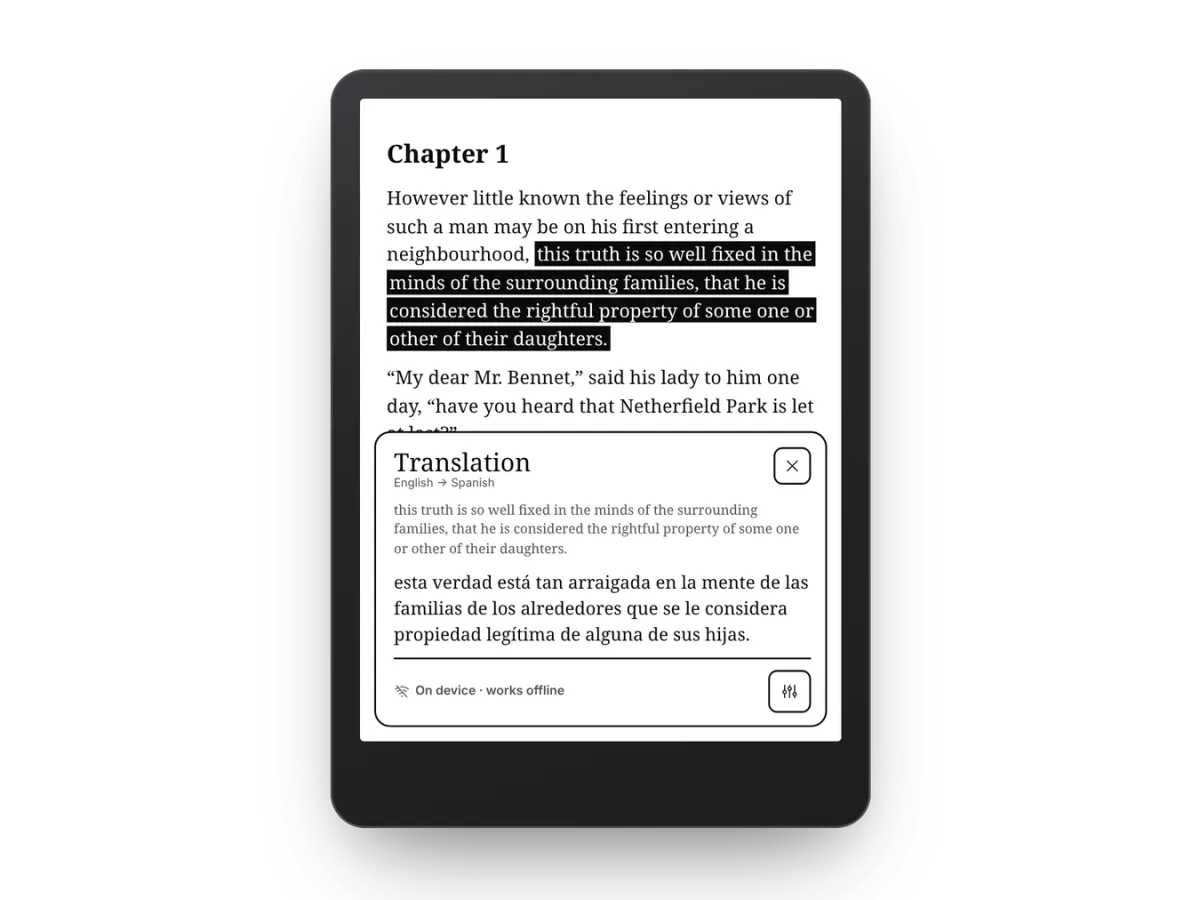
Stuck on a sentence? Select it
Select a phrase, a sentence or a whole paragraph and read the translation right on the page. It works offline on your device, and with Pro, Gemini translates it with the book's context.
Flashcards
Every word you save becomes a flashcard
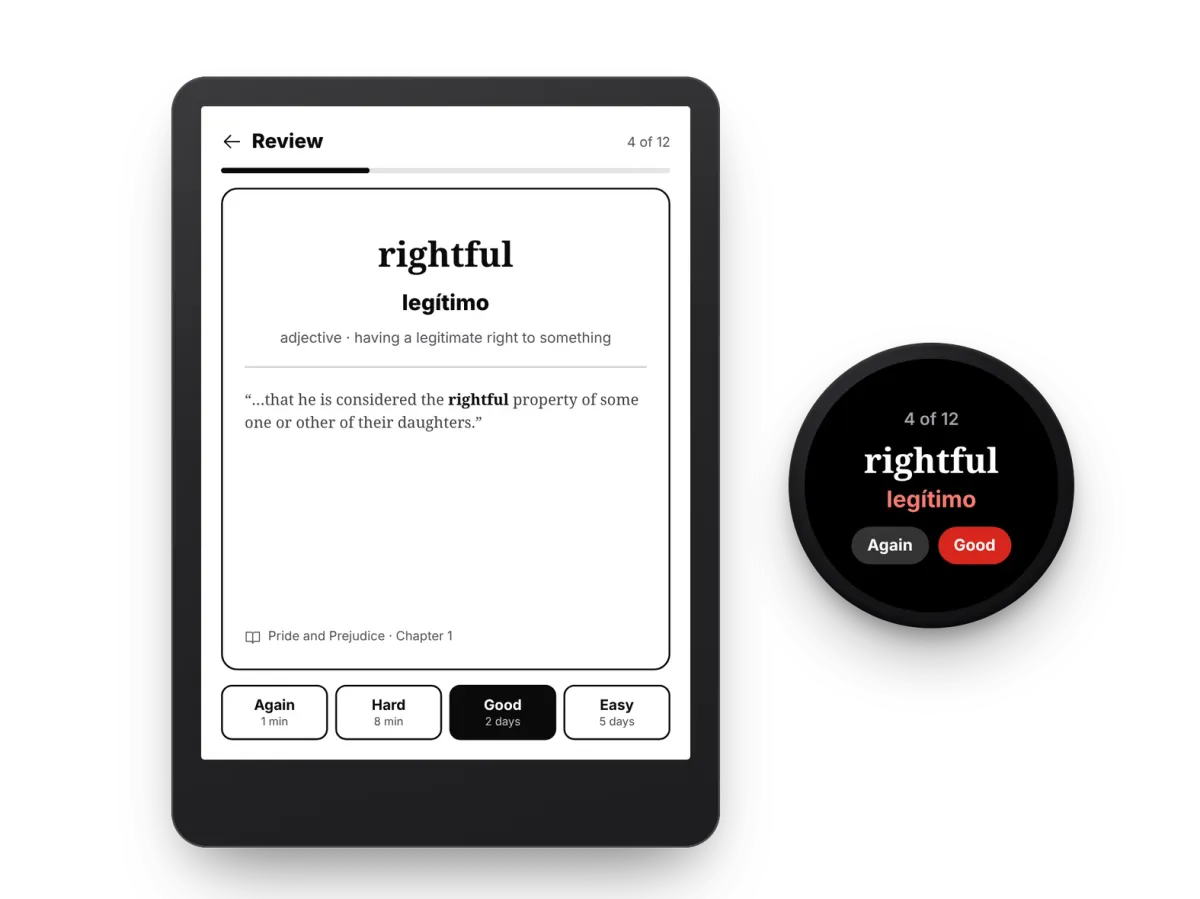
Saved words keep their translation, their meaning and the line from the book. Review them with spaced repetition: rate each card Again, Hard, Good or Easy, and Bookbeam brings it back just before you'd forget. Review on your e-reader, your phone or a Wear OS watch.
Read aloud
Hear how it sounds
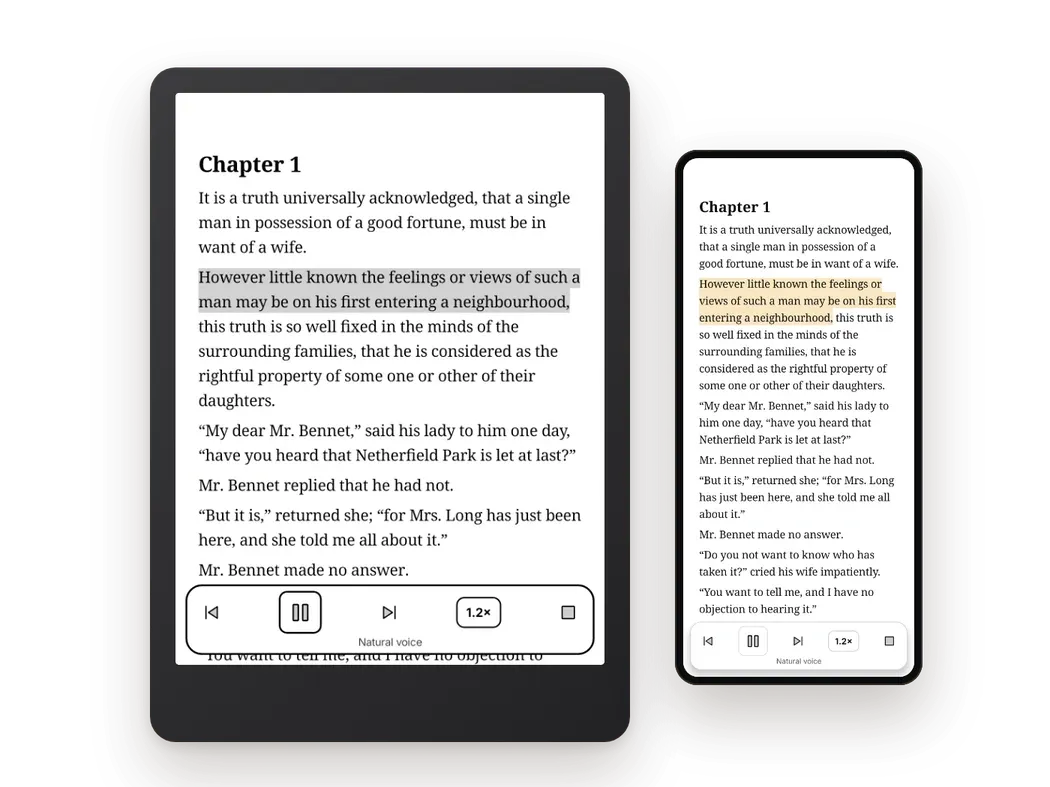
Natural voices read your book aloud in more than 30 languages and highlight each sentence as they go. Slow the voice down to follow every word, then carry on reading from where it stopped. Natural voices come with Pro; on Free, your device's own voice reads aloud.
Widgets and Wear OS
A few words whenever you have a minute
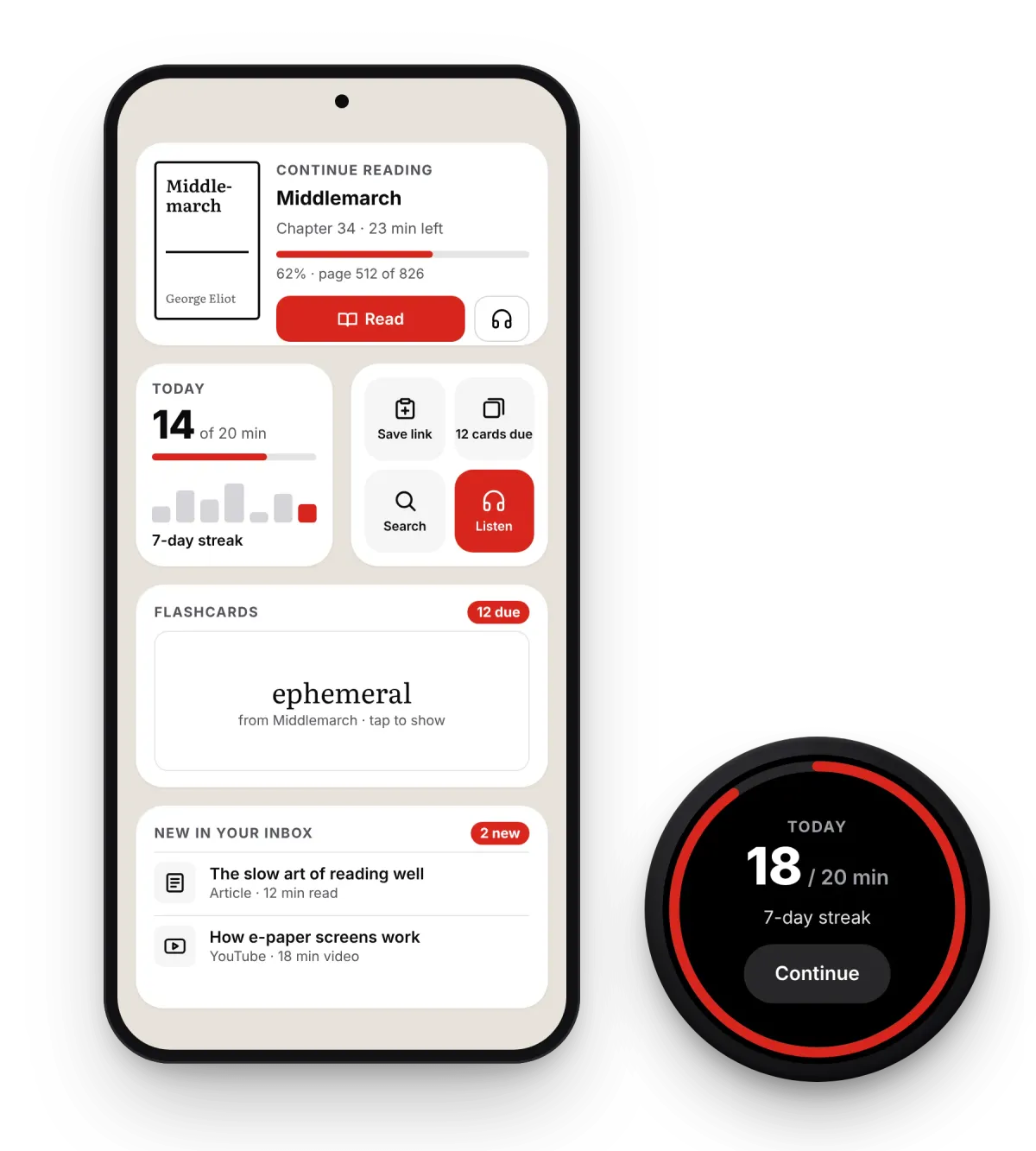
Due flashcards wait on your home screen and on your wrist, so a queue or a coffee is enough for a quick review. Your words sync across your e-reader, phone and watch.
Word glosses · Pro
Word glosses at your level
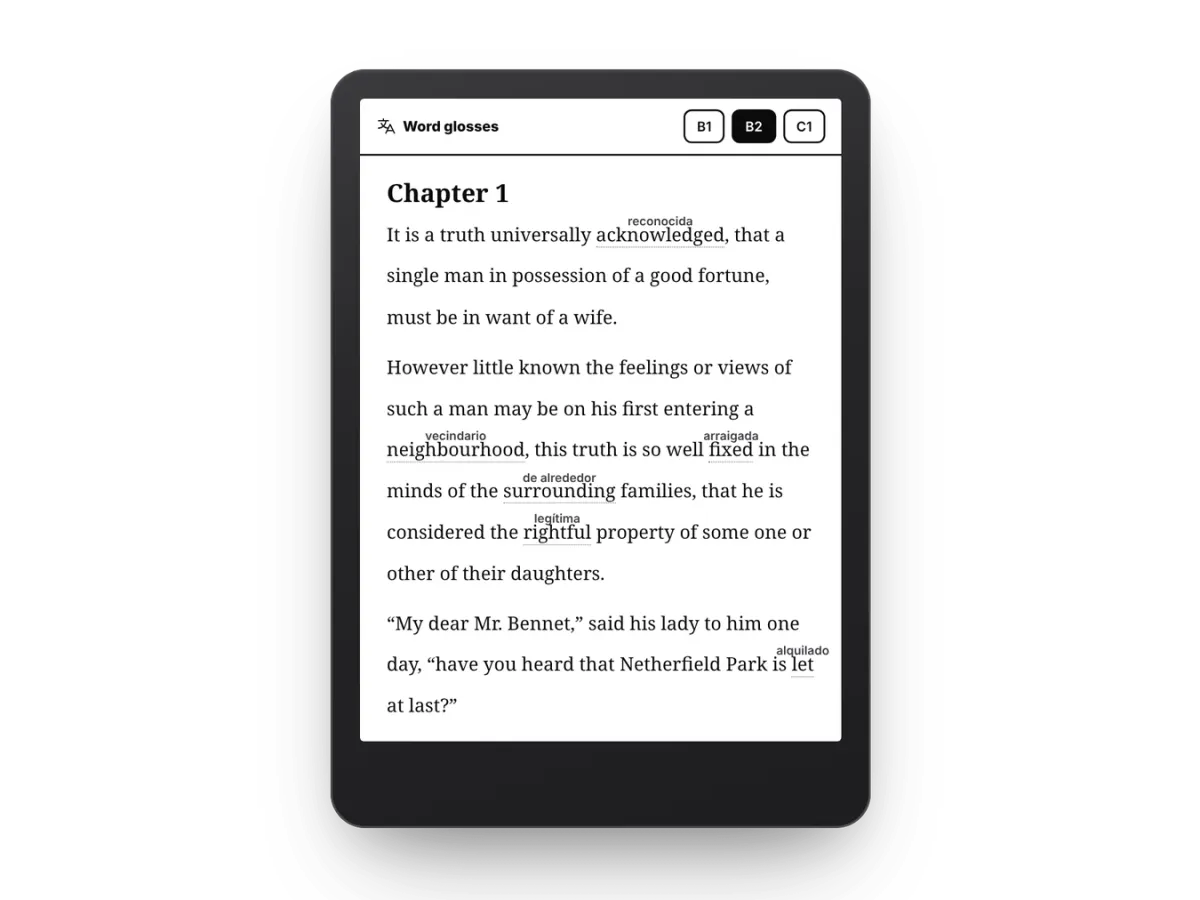
Set your level, from A1 to C2, and Bookbeam writes a small translation above just the words that are likely new to you, with the lines spaced to make room. Everything else stays in the language you're learning.
Made for learners
The small things that help
Details that make reading in another language easier, every day.
More than 50 languages
Translate between more than 50 languages, from Spanish, French and German to Japanese, Korean and Polish.
Works offline
On-device translation downloads a language pack once, about 30 MB, then works with no connection at all.
Translates as you read
Gemini translates the page you're on and the next few, so a jump to any chapter fills in within a second or two.
Keeps the book's voice
Gemini sees the paragraphs around each line, so names, tone and recurring terms stay consistent from chapter to chapter.
Saved for next time
Translated pages are kept on your device. Flip back, reread a chapter or go offline, and they're still there.
Swap the sides
In facing pages, put the translation on the left or the right, whichever your eyes prefer.
Long-press to look up
Make a long-press open the definition straight away, without the selection menu in between.
Your own dictionary app
Prefer GoldenDict, ColorDict or the BOOX dictionary? Send look-ups there and still save words as flashcards.
The original stays in charge
Highlights, notes and look-ups always land on the book's own text, never on the translation next to it.
Get started
Start reading in your new language
Get the Bookbeam Reader app for Android, BOOX and e-ink tablets. Free to start, with a 7-day Pro trial.