
Audio reader
Your e-books, read aloud like audiobooks
Bookbeam reads any DRM-free book aloud on your phone, your BOOX or in the car, and marks each sentence as it goes. Use the free offline voice, or natural ElevenLabs voices that narrate, act the scene, or give every character a voice of their own.
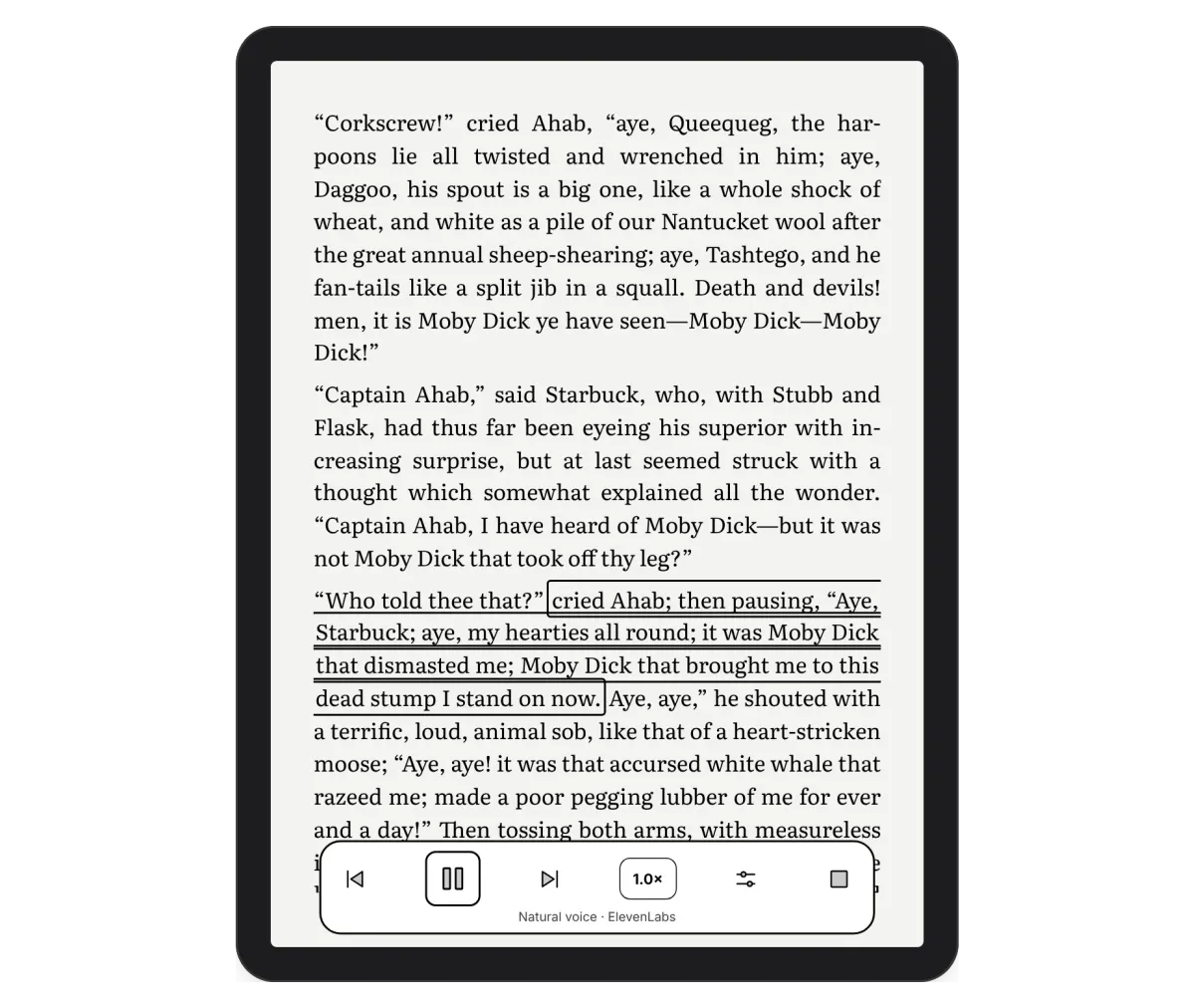
Hear one scene three ways
A scene from Moby-Dick, read by real ElevenLabs voices in each mode. The player works like the app's: play, skip a sentence, change the speed or open the settings.
Three ways to perform a book
With ElevenLabs voices you choose how a book is read. Set a default in Settings, or change it for one book from the player.
Narrator
One natural voice with an even delivery. Quick to start, and your voice time lasts longest.
Expressive
One voice that takes emotion and pacing from the text, so a whisper sounds like a whisper.
Full cast
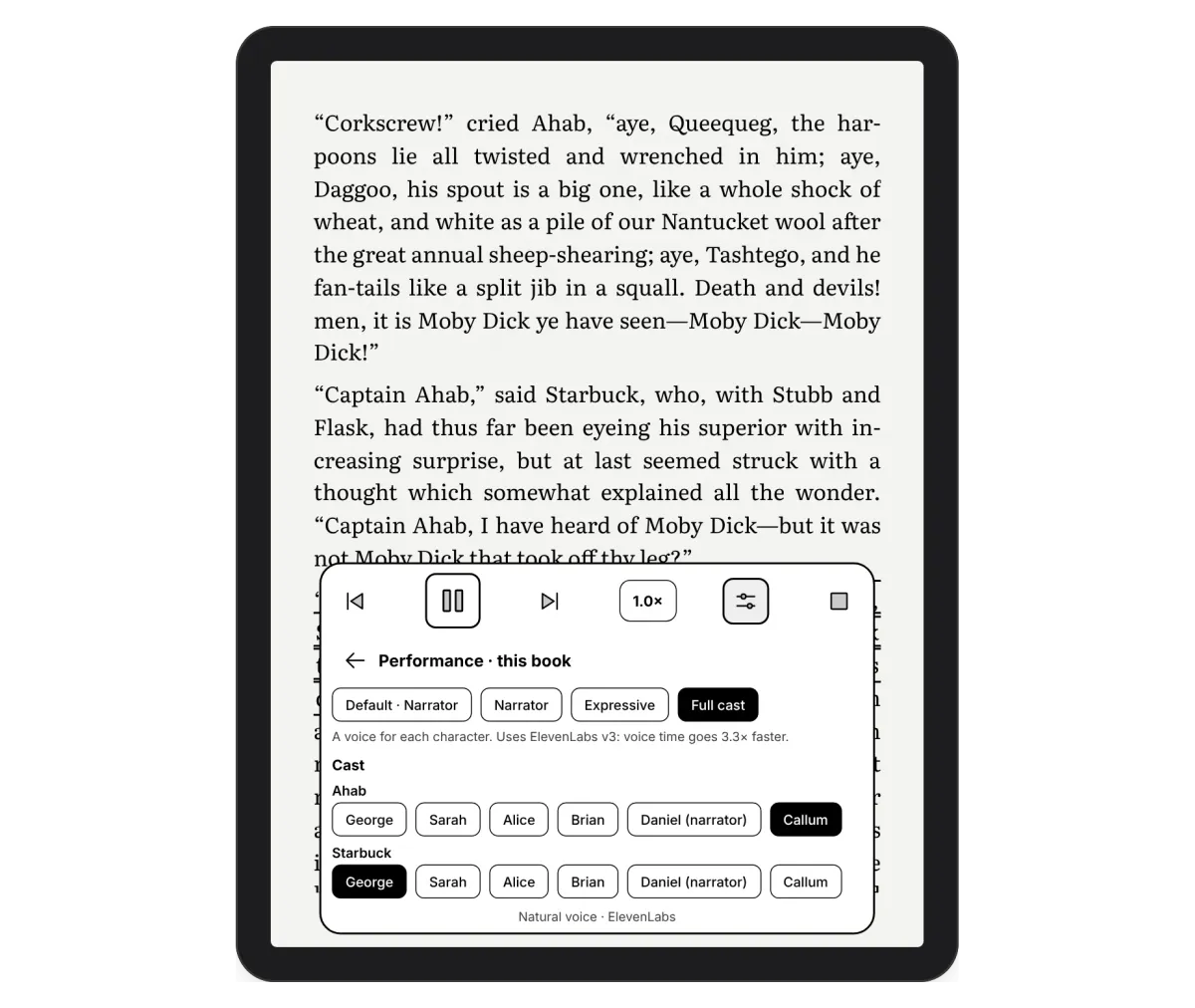
A different voice for each character in the dialogue, with the narrator reading the rest.
Full cast
A voice for every character
Full cast splits each paragraph into narration and dialogue, works out who is speaking from the text (“said Starbuck”, “cried Ahab”) and gives each character their own voice for the whole book. Characters appear on the cast sheet as they speak, and you can give any of them another voice. Lines with no named speaker stay with the narrator.
Follow along
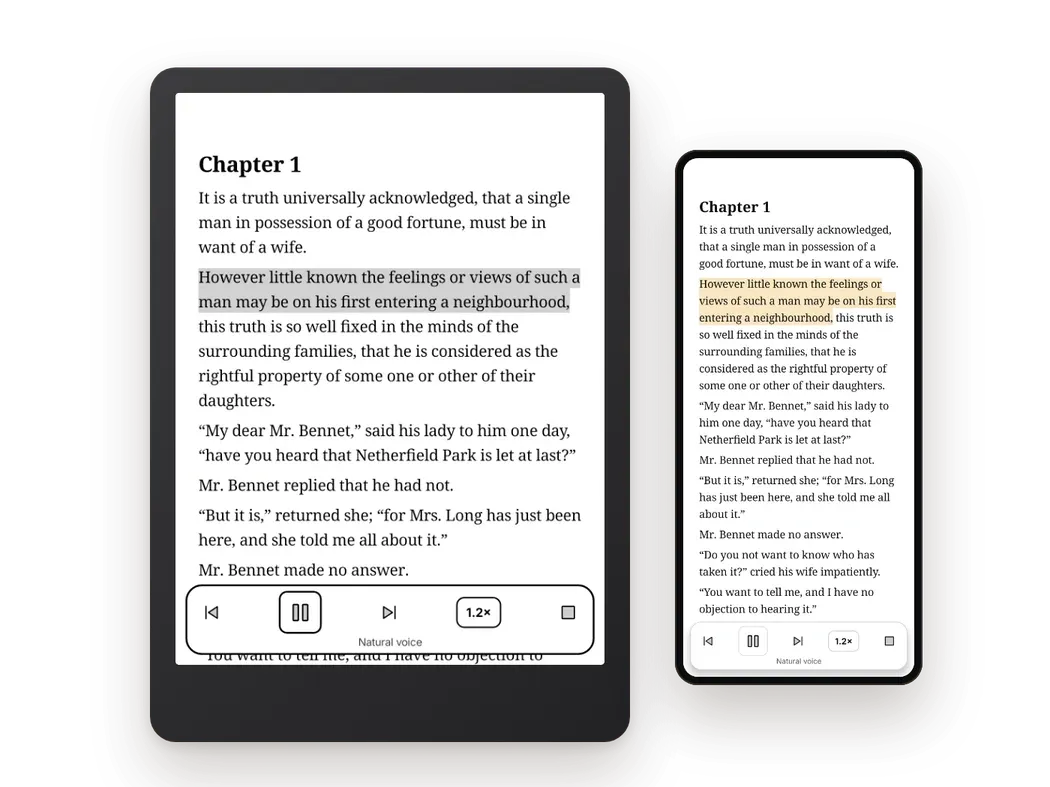
The page keeps up with the voice
The sentence being read is outlined on the page, and pages turn as the voice reaches them, even mid-sentence. Skip a sentence forward or back, set the speed from 0.8× to 2×, or switch voices and carry on from the same sentence. Made for e-ink: no scrolling and no ghosting while it reads.
Keep listening in the car
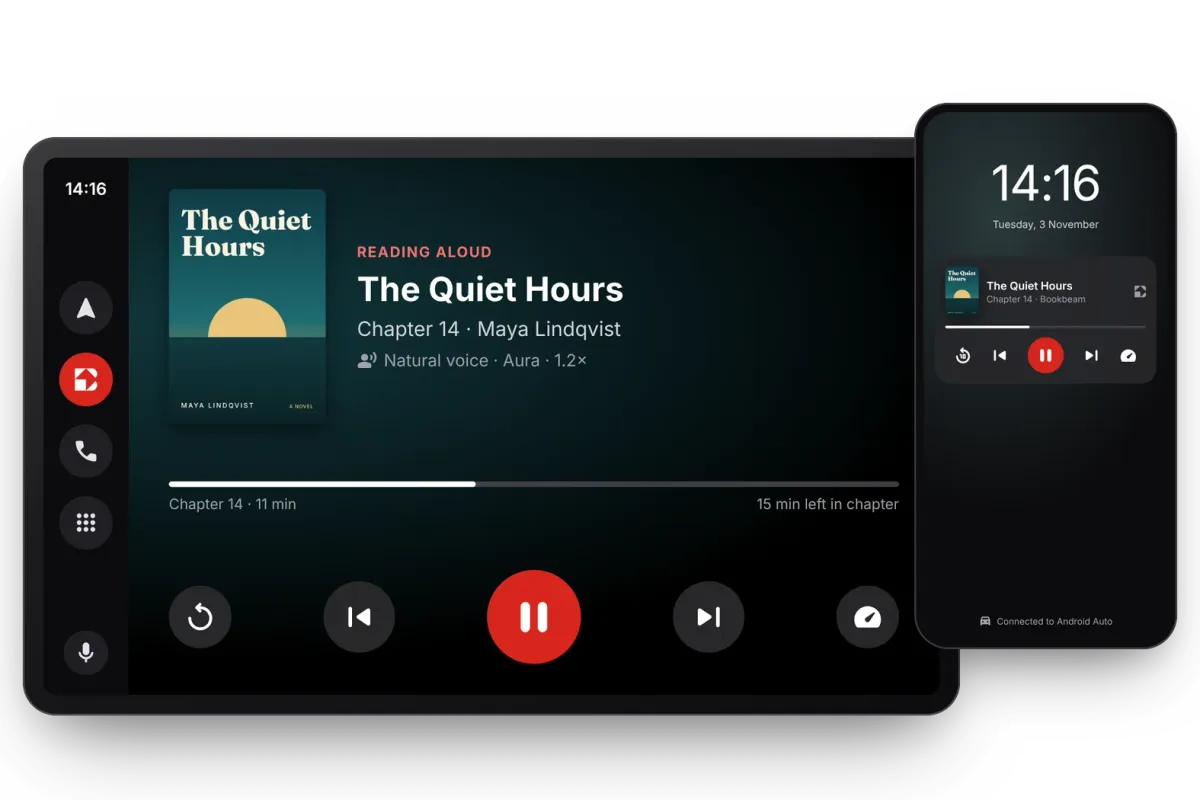
With Android Auto, your library is on the car's screen and the book starts at the sentence where you stopped. With Expressive or Full cast, the next passages are prepared ahead, and the Narrator voice fills in if one isn't ready on a weak signal. Loudness is evened out, so whispers stay audible over road noise.
Questions about read aloud
The short answers. There's more in the help center and on the blog.
Is read aloud free?
The device voice is free, works offline and has no limits. Natural voices are part of Pro, with 1.5 hours a month, and Voice Packs add 5 hours for $14.99 that never expire, on any plan. New accounts get a 7-day Pro trial, no card needed.
Which voices can I use?
Your device's own voice, Deepgram, or ElevenLabs: George, Sarah, Alice, Brian, Daniel and Callum. Narrator, Expressive and Full cast need ElevenLabs.
Which languages does it read?
ElevenLabs voices read more than 30 languages, and the device voice reads any language your phone has a voice for. Full cast recognises who is speaking in English and Polish books; in other languages the dialogue stays with the narrator.
Does it work offline?
The device voice does. Natural voices are made while you listen, so they need a connection, but audio you've already played is saved on your device and replays for free.
Can I listen with the screen off?
Yes. Read aloud keeps playing with the screen off and shows up on your lock screen, so headphone buttons work. You can also pause or skip from a Wear OS watch.
Can't find what you're looking for? Contact our customer support team
Get started
Give your reading pile a voice
Install Bookbeam free and press play on the book you're reading now. The device voice is free and works offline. Natural voices are part of Pro, and new accounts get a 7-day trial with no card needed.