
The best EPUB reader for Android
Which EPUB reader should you use on Android? We compare Bookbeam, ReadEra, Moon+ Reader, KOReader, Librera and Google Play Books on typography, sync, Calibre support and e-ink.

Michal Wlosik
· 8 min read
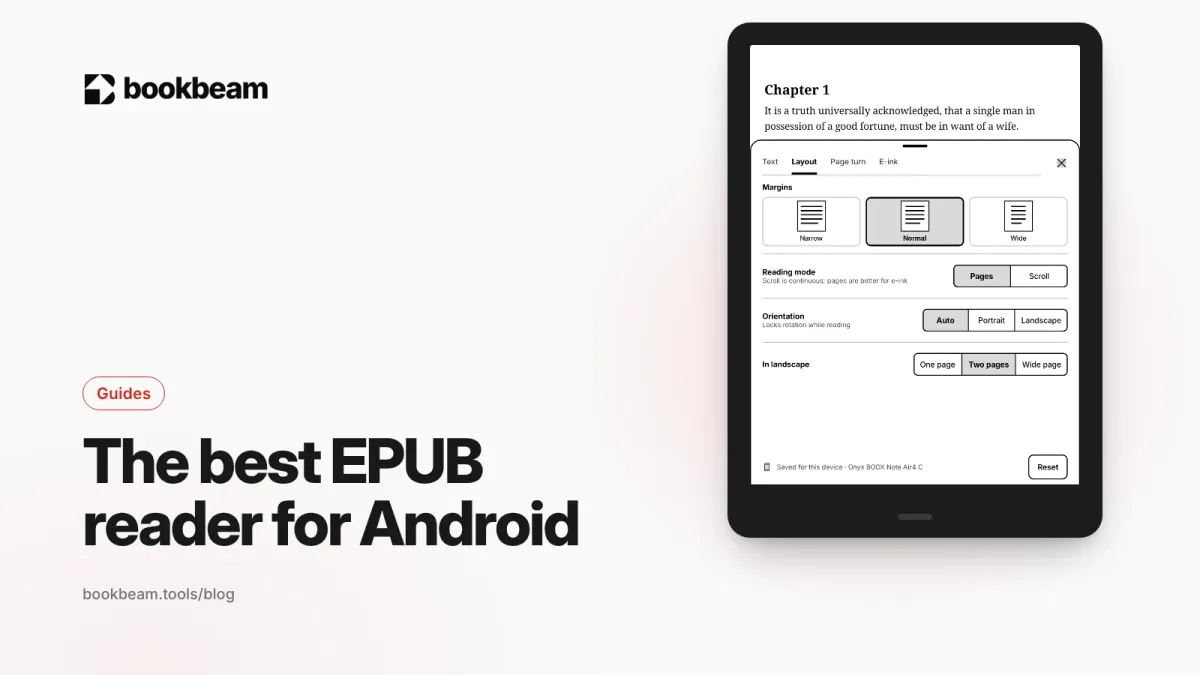
Short answer: the best EPUB reader for Android in 2026 is Bookbeam Reader if you want clean typography, sync across devices and great behavior on e-ink screens; ReadEra if you want something free, simple and ad-free; and Moon+ Reader if you want to customize everything. Full disclosure: we make Bookbeam, and we'll say plainly where the others do better.
EPUB is the open standard for e-books, and on Android you have more good options than on any other platform. The catch is that "reads EPUB" covers everything from a bare-bones viewer to a full reading system. This guide focuses on what actually makes an EPUB pleasant to read, then picks the best app for different kinds of readers.
What to look for in an EPUB reader
EPUB files are reflowable: the text rearranges to fit your screen and font size, unlike a PDF. (If you're weighing the two formats, we explain the difference in EPUB vs PDF.) That makes the reader app's job more important, because the app decides how the book actually looks. Here's what matters most:
- Typography you control. Font, size, line spacing, margins, justification and hyphenation. A good reader also lets you turn the publisher's own styles on or off, because some EPUBs ship with tiny fonts or odd spacing baked in.
- Respect for the book. A working table of contents, footnotes that pop up instead of jumping you away, and images and tables that display properly.
- Library management. Collections, series, authors, search, and a clear "currently reading" shelf.
- Getting books in. Opening files from your device is the baseline. Folder watching, OPDS catalogs (Calibre, Calibre-Web, Kavita, Komga) and cloud sync remove friction.
- Sync. Progress, highlights and notes across phone, tablet and e-reader.
- Lookups. Dictionary and translation on a long-press.
- E-ink behavior, if you read on a BOOX or similar device: paged layout, no animations, and refresh control.
One thing Bookbeam and most independent readers can't do: open DRM-protected EPUBs bought from stores like Kobo or Google Play. Those are best read in the store's own app. For files you own, see where to get DRM-free e-books.
The best EPUB readers for Android compared
| App | Price | Ads | Sync | OPDS / Calibre | E-ink tuned |
|---|---|---|---|---|---|
| Bookbeam Reader | Free; Pro $6.99/month or $59.99/year; Lifetime $129 | None | Progress, highlights, notes, library (free plan: 2 devices) | No (not yet); Audiobookshelf and KOReader sync instead | Yes |
| ReadEra | Free; one-time Premium | None | Google Drive sync with Premium | No | No |
| Moon+ Reader | Free; one-time Pro | In free version | Position sync via Dropbox or Google Drive | OPDS | Partly, with settings |
| KOReader | Free, open source | None | Progress between KOReader devices | Yes | Yes |
| Librera | Free; paid PRO | In free version | Progress and bookmarks via Google Drive | Online catalogs | Partly |
| Google Play Books | Free app | None in reader | Uploads sync via your Google account | No | No |
Moon+ Reader Pro, ReadEra Premium and Librera PRO prices vary by country and go on sale often, so check Google Play for your region.
Bookbeam Reader: best EPUB reader overall
We built Bookbeam to make EPUBs feel like well-set books on any Android screen, from a phone to a 10-inch BOOX. The reader menu has four settings tabs: Text, Layout, Page turn and E-ink. You can switch publisher styles on or off, adjust text weight, and boost contrast, which is a big help with thin fonts on e-ink.
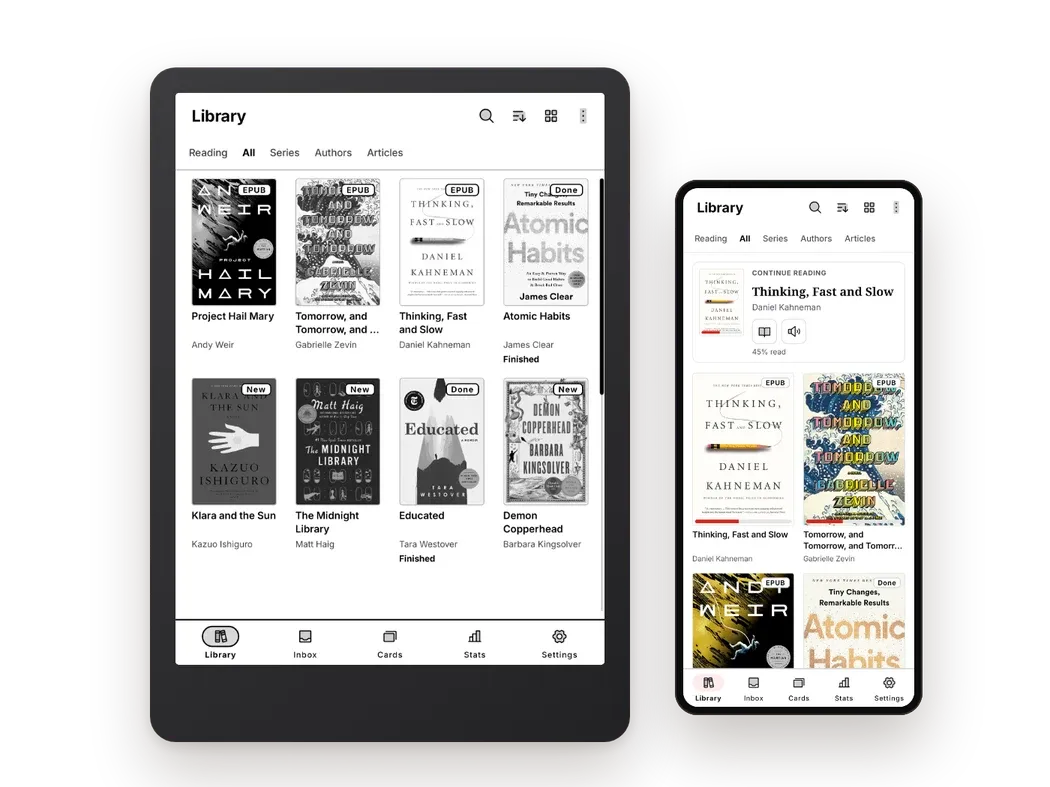
Pages are paged, never scrolled, and page turns are designed to avoid ghosting on e-ink. You can turn pages with tap zones, volume keys, a Bluetooth page turner or headset buttons, with options like "One page per press" and "Mirror for left hand".
EPUB extras:
- Long-press a word for dictionary and translation, then "Add to flashcards" or "Save looked-up words". It can also open GoldenDict, ColorDict or the BOOX dictionary.
- Highlights and notes that sync across devices and to the free web library at books.bookbeam.tools.
- A Book guide listing the people, places and terms in the book, either "So far" (spoiler-free) or for "This chapter". Very handy for big fantasy series or Russian novels.
- Bilingual reading (Pro and Lifetime): a translation under every paragraph in 50+ languages, on-device and offline, for EPUB, MOBI, FB2 and TXT.
- Read aloud with natural cloud voices and "Follow along" sentence highlighting, or your device voice offline for free.
Getting EPUBs in: Settings → Sources lets you add books from the device or device folders, your Bookbeam Inbox, Audiobookshelf or KOReader sync, and you can upload EPUBs to the free web library at books.bookbeam.tools. OPDS catalogs aren't supported yet, so if you keep books in Calibre, export them (or use "Save to disk") and upload the files. Our Calibre on Android guide covers both that workflow and OPDS apps.
Other formats: PDF, MOBI and AZW3 without DRM, FB2, TXT and CBZ comics.
Price: the free plan covers 2 devices, 1 GB of library storage and about 15 minutes of natural voice a month. Pro ($6.99/month or $59.99/year) adds 5 devices, 25 GB and bilingual reading. Lifetime is $129 once. New accounts get 7 days of Pro free, no card needed. No ads, no third-party analytics SDKs.
Honest drawbacks: it can't open DRM-protected books, and if you want to remap every gesture or add page-curl animations, Moon+ Reader gives you more to play with.
An EPUB reader that respects your books. Bookbeam keeps your formatting, syncs highlights and progress, and has no ads.
ReadEra: best free EPUB reader
If you want a reader that just works and costs nothing, ReadEra is hard to beat. It's free, has no ads and doesn't ask you to register. Install it and it finds the EPUBs, MOBIs, AZW3s, FB2s and PDFs already on your phone and arranges them into a tidy library with collections and author or series grouping.
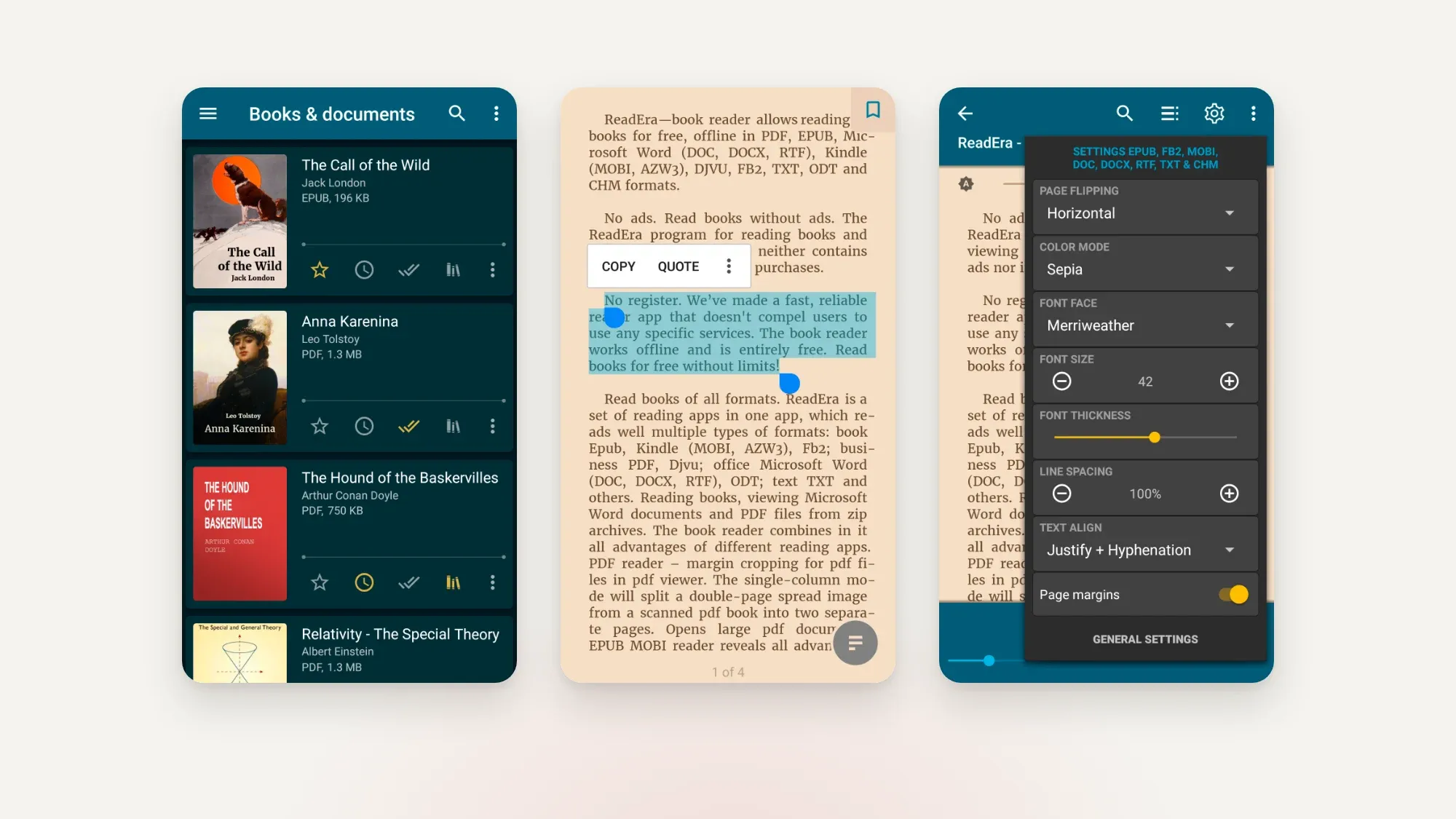
The reading view is clean, with day, night, sepia and other color modes, plus adjustable fonts, margins and spacing. Notes, quotes and bookmarks are easy to use. ReadEra Premium is a one-time payment that adds Google Drive sync, extra highlight colors, custom fonts and more library views.
Where it falls short: no OPDS or Calibre catalog support, sync costs extra, and there are no e-ink specific settings like refresh control.
Moon+ Reader: best for customizing everything
Moon+ Reader is the long-running power-user favorite. It handles EPUB, MOBI, FB2, TXT, HTML, CHM and comics, and you can configure nearly everything: fonts, shadows, colors, 10+ themes, auto-scroll, page-flip animations, and 24 actions you can assign to taps, swipes and hardware keys. It supports OPDS catalogs and syncs reading position through Dropbox or Google Drive.
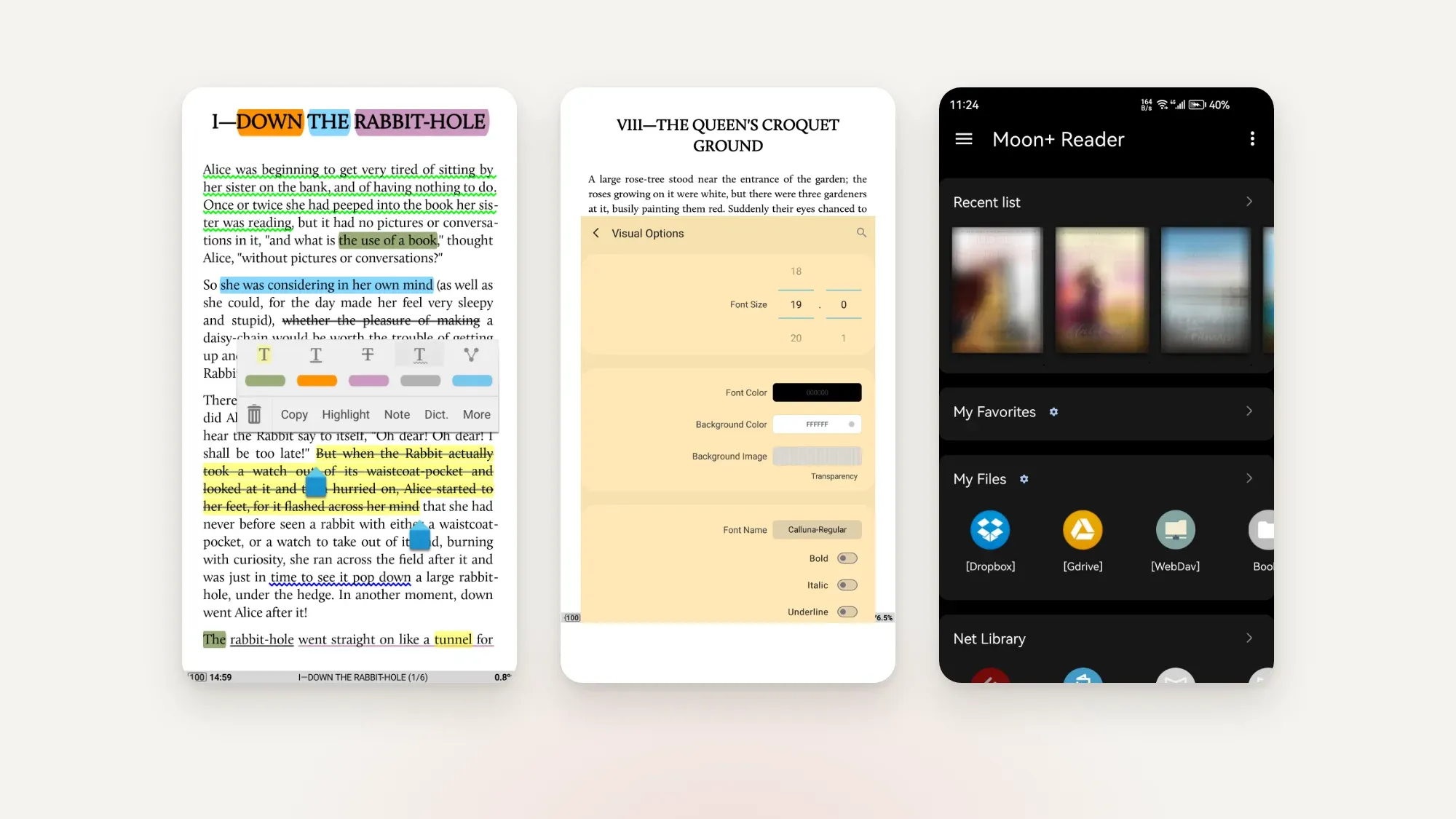
The free version has ads. The one-time Pro upgrade removes them and adds text-to-speech, PDF support, reading statistics and Bluetooth key controls.
Where it falls short: lots of menus, and the defaults suit phones more than e-ink. You'll want to turn off animations on a BOOX. We compare it head-to-head in Moon+ Reader vs ReadEra vs Bookbeam.
KOReader: best for e-ink tinkerers
KOReader is free, open source and built for e-ink. Its EPUB rendering is excellent, typography controls are deep, and it bundles dictionaries and syncs progress between KOReader installs. It's even better known for PDFs and scanned documents.
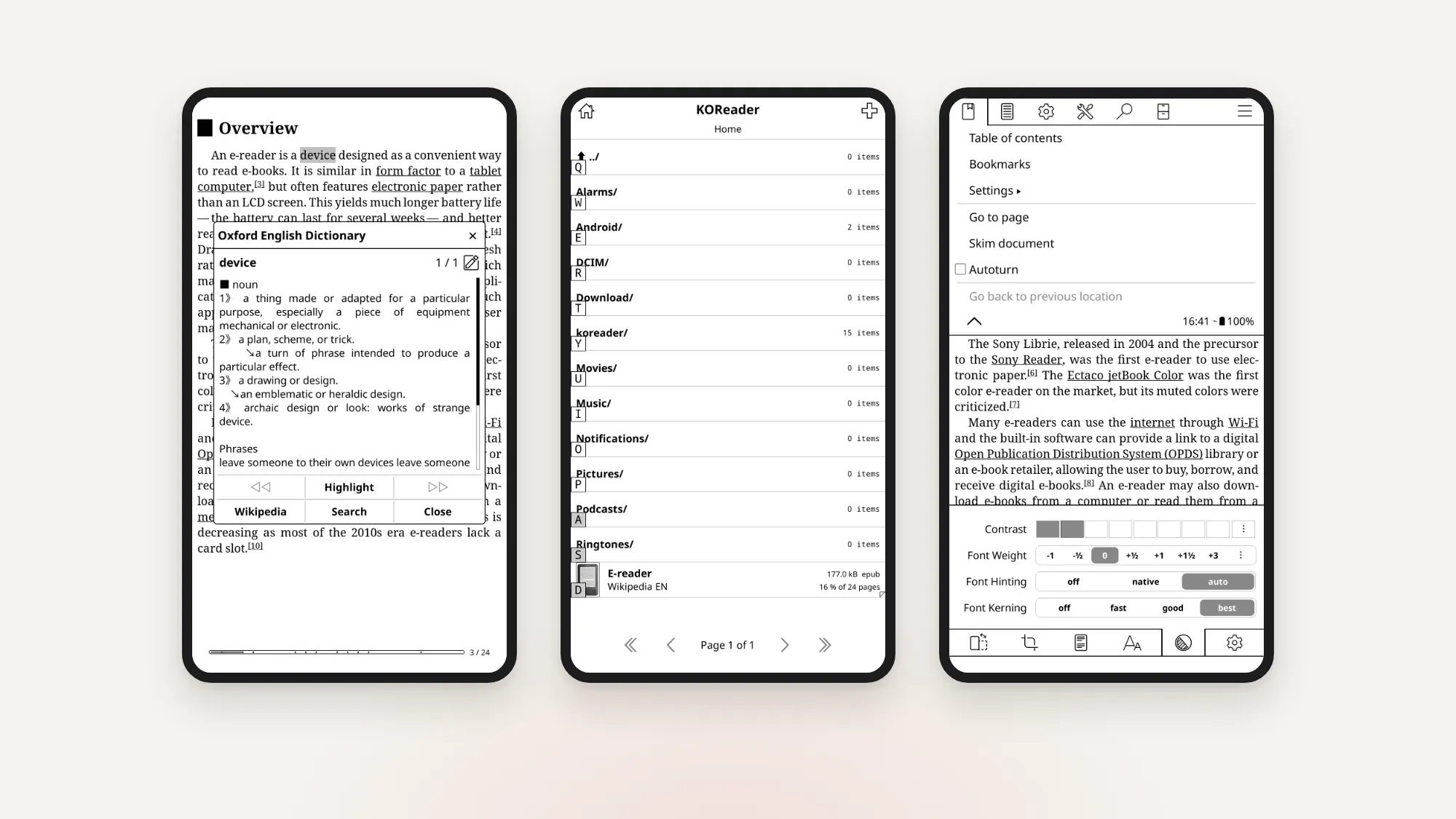
It isn't on Google Play. You install it from F-Droid or GitHub releases. The interface is dense, and getting it set up how you like takes some patience.
Librera and Google Play Books
Librera covers a huge list of formats (EPUB, PDF, MOBI, AZW3, DjVu, FB2, comics and more), with text-to-speech, custom CSS and Google Drive sync. The free version has ads; Librera PRO removes them. It's capable, but the interface is cluttered.
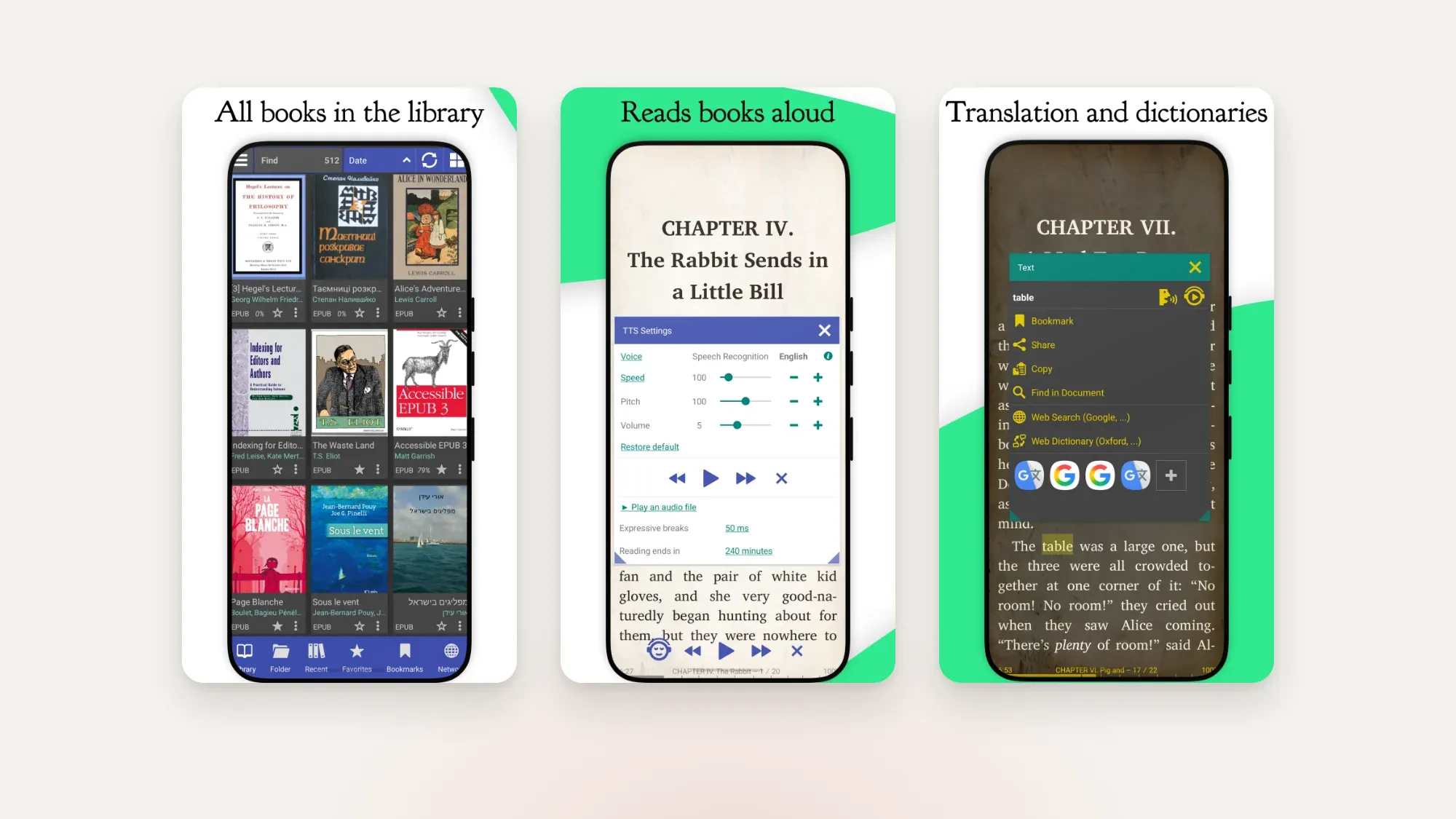
Google Play Books is often preinstalled and lets you upload your own DRM-free EPUBs, which then sync to your other devices through your Google account. It's fine for occasional reading, but typography options are limited and there are no e-ink settings.
Which EPUB reader is right for you?
- You read on a BOOX or other Android e-reader: Bookbeam or KOReader.
- You want free and simple: ReadEra, or Bookbeam's free plan if you also want sync between two devices.
- You love tweaking: Moon+ Reader or KOReader.
- You have a Calibre library: KOReader or Moon+ Reader, both of which speak OPDS. With Bookbeam, export from Calibre and upload to the web library.
- You read in a second language: Bookbeam, for bilingual paragraphs and flashcards.
- You buy DRM-protected EPUBs from a store: that store's app, alongside a reader for everything else.
For the bigger picture, including Kindle and Kobo, see our hub: the best e-book reader apps for Android in 2026. New to EPUBs altogether? Start with how to read EPUB files on Android.
Read better on e-ink. Bookbeam Reader turns pages without ghosting, reads aloud and translates as you read.
FAQ
What is the best free EPUB reader for Android?
ReadEra is the best completely free, ad-free option. Bookbeam's free plan is a strong alternative if you want sync between two devices and e-ink settings. KOReader is free and open source for advanced users.
Can Android open EPUB files without an app?
No. Android doesn't include its own EPUB viewer. Google Play Books is preinstalled on many phones and can open EPUBs, or you can install a dedicated reader like Bookbeam, ReadEra or Moon+ Reader.
Why won't my EPUB open in a reader app?
Usually because it's DRM-protected (for example, bought from a store that locks books to its own app), or because the file is damaged or only partly downloaded. DRM-free EPUBs open in any good reader.
Which EPUB reader works best on e-ink?
Readers designed for e-ink, like Bookbeam and KOReader, use paged layouts without animations and let you control full screen refreshes, which keeps text crisp and reduces ghosting.
Can I sync EPUB reading progress between my phone and e-reader?
Yes, with Bookbeam (progress, highlights, notes and library), KOReader (between KOReader devices), Moon+ Reader (position via Dropbox or Google Drive) or ReadEra Premium (Google Drive).
Our pick
If you read EPUBs on Android regularly, especially across a phone and an e-ink device, Bookbeam gives you the best mix of typography, sync and e-ink polish, and the free plan is enough to find out whether you like it. ReadEra is the best free fallback, and Moon+ Reader is the playground for tinkerers. Install one, open your favorite book and see how it feels after a chapter. You can browse everything Bookbeam does on the features page.
Start reading with Bookbeam. Free to download, no ads, and a 7-day Pro trial on every new account.
Written by
Keep reading
Moon+ Reader vs ReadEra vs Bookbeam
Three popular Android e-book readers, three different philosophies. We compare Moon+ Reader, ReadEra and Bookbeam on price, formats, e-ink, sync, read aloud and language tools, including where each one wins.
KOReader alternatives for Android
Love KOReader's e-ink focus but not its learning curve? Here are the best Android alternatives in 2026, including two that sync with KOReader, plus an honest look at where KOReader still wins.
The best text-to-speech e-book readers for Android
Want your e-books read aloud on Android? We compare Bookbeam, @Voice Aloud Reader, Moon+ Reader, Speechify, ReadEra and Google Play Books on voices, formats, offline use and price, so you can pick the right one.
Questions or thoughts? Share them below.