
EPUB vs PDF: which is better for reading?
EPUB reflows to fit any screen; PDF keeps the page exactly as designed. Here's when each format wins, how they behave on phones and e-ink readers, and what to do when you have the wrong one.

Michal Wlosik
· 7 min read
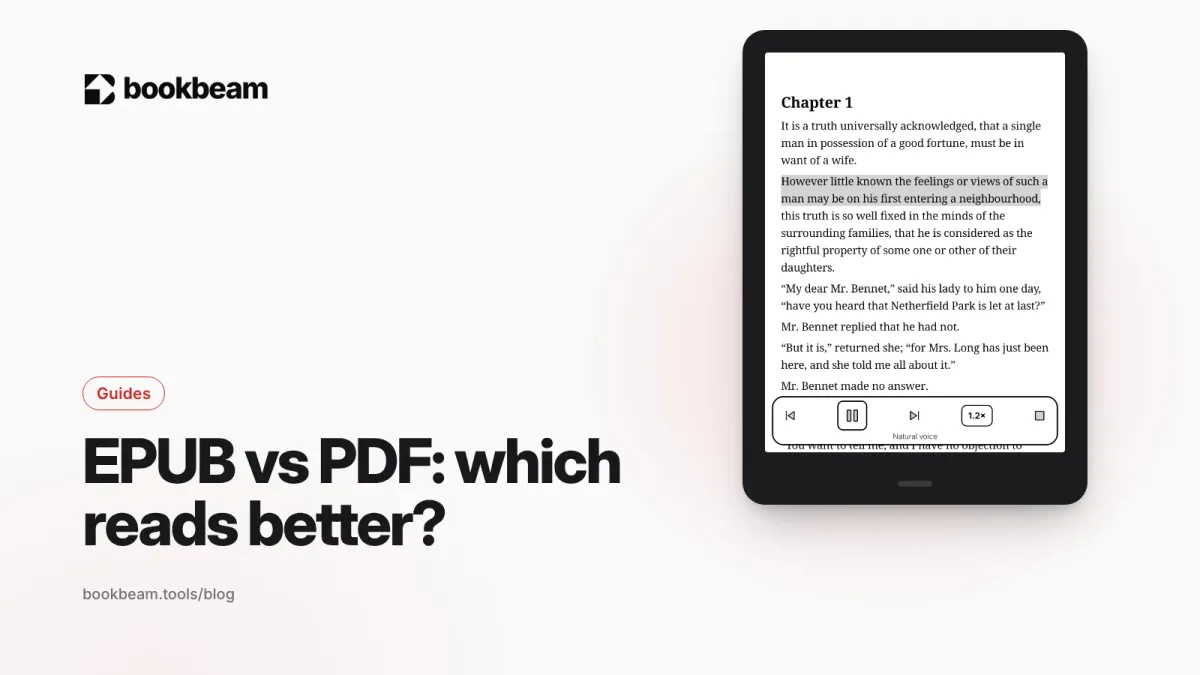
Short answer: for reading books on a phone, tablet or e-reader, EPUB is better. The text reflows to fit your screen and font size, so it's comfortable on anything from a 6-inch e-reader to a 13-inch tablet. PDF is better when the exact page layout matters: textbooks with complex figures, sheet music, comics scanned as pages, forms, and anything you'll print.
Below we explain what actually differs between the two formats, where each one wins, how they behave on e-ink screens, and what to do when you only have the "wrong" format. (We make Bookbeam Reader, which opens both, so we've spent a lot of time with each.)
The core difference: reflowable vs fixed layout
EPUB is basically a packaged website: HTML text, CSS styles, images and a table of contents, zipped into one file. The current version, EPUB 3.3, is a W3C Recommendation, the same standards body behind HTML. Because it's text plus styling, the reader app decides how to lay it out. Change the font size and the lines rewrap and the page count changes.
PDF describes fixed pages. Every word, line break and image sits at an exact position on a page of fixed size, so it looks identical everywhere, on screen or on paper. PDF is an ISO standard (ISO 32000). That consistency is its superpower and its weakness: a page designed for A4 or US Letter paper doesn't shrink gracefully to a phone.
EPUB vs PDF: side-by-side comparison
| EPUB | ||
|---|---|---|
| Layout | Reflowable: text adapts to the screen | Fixed: pages look exactly as designed |
| Small screens (phones, 6–7" e-readers) | Excellent | Often tiny text; needs zooming or panning |
| Large screens (10–13" tablets) | Excellent | Good, especially for A4/Letter documents |
| Change font, size, spacing | Yes | Zoom only (some apps can reflow text, with mixed results) |
| Complex layouts, equations, diagrams | Varies with the book and reader | Reliable |
| Printing | Not designed for it | Ideal |
| File size for a novel | Usually small | Usually larger |
| Accessibility (screen readers, read aloud) | Generally good, text is structured | Depends on how the PDF was made; scans have no text at all |
| Dictionary, translation, highlights | Works smoothly | Works if the PDF contains real text |
| Typical sources | E-book stores, Project Gutenberg, publishers | Papers, manuals, textbooks, scans, reports |
When EPUB is better
- Novels and most non-fiction. Anything that's mostly running text reads better as EPUB, full stop.
- Small screens. On a phone or a 6-inch e-reader, EPUB lets you pick a readable size without zooming and panning across a page.
- Reading comfort. You choose the font, line spacing, margins and theme. If you read for an hour at a time, that matters.
- Read aloud and language tools. Because the text is structured, text-to-speech flows naturally, and features like long-press dictionary, translation and bilingual reading work well. In Bookbeam, bilingual reading (a translation under every paragraph) supports EPUB, MOBI, FB2 and TXT, not PDF.
- Syncing your place. Progress is tied to a position in the text, so it survives changing font size or switching between phone and e-reader.
When PDF is better
- Layout-heavy books. Textbooks with sidebars, math-heavy material, cookbooks and design books often need the page as designed.
- Academic papers and reports. Most papers only exist as PDF, and citations reference page numbers.
- Sheet music, maps and diagrams. Positions matter.
- Scanned books. A scan is a picture of a page, so it's naturally a PDF (or DjVu).
- Forms, contracts and printing. PDF is the standard for anything that needs to look the same everywhere.
EPUB or PDF, one app. Bookbeam Reader reflows EPUBs beautifully and keeps PDFs readable on small and e-ink screens.
EPUB vs PDF on e-ink readers
E-ink changes the calculation a bit, because the screens are smaller than paper, mostly grayscale, and slower to refresh.
On 6–7.8 inch e-readers, EPUB is the clear winner for text. A full A4 or Letter PDF page shrunk to that size usually means tiny text. You can zoom and pan, or crop margins, but it's clunky. Some readers help: KOReader can reflow PDFs, including scanned ones, and many readers, BOOX's NeoReader among them, can crop margins.
On 10.3 to 13.3 inch e-ink tablets, PDFs become genuinely pleasant. It's a big reason people buy large BOOX devices: reading and annotating papers and textbooks at close to real page size. If that's you, see the best Android e-ink tablets in 2026.
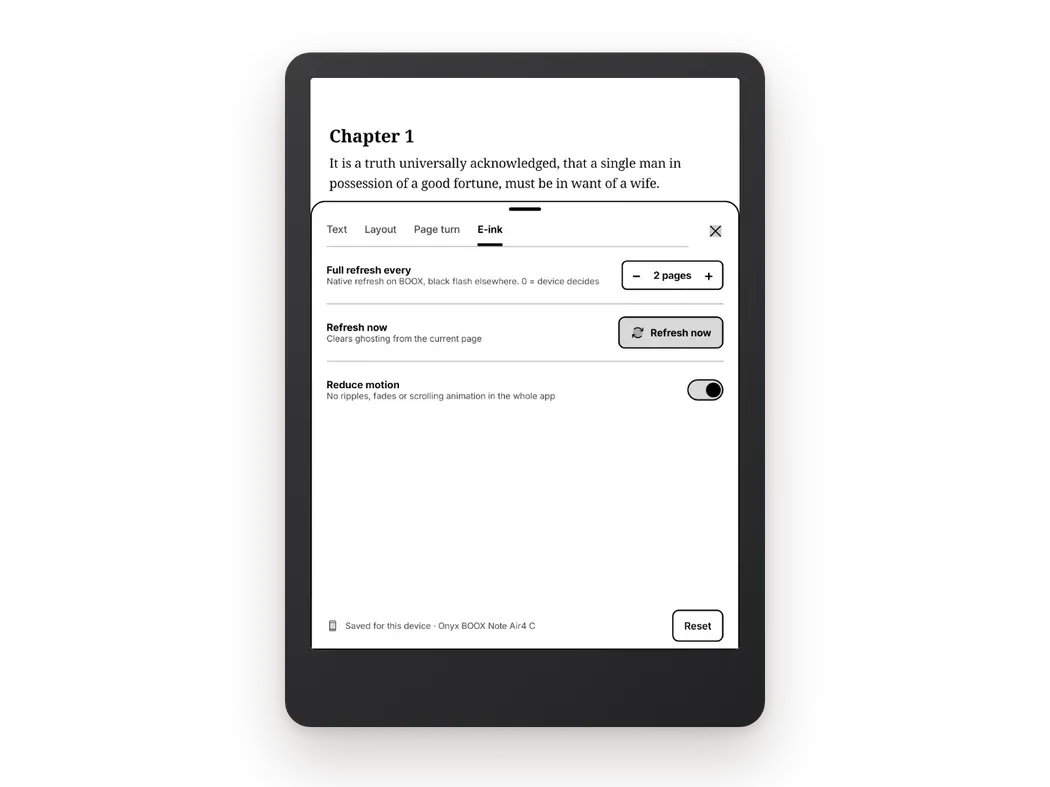
Ghosting. Image-heavy PDFs leave more residue on e-ink than plain text. Periodic full refreshes clean it up. In Bookbeam's E-ink settings you can set "Full refresh every N pages" or tap "Refresh now". More tips in how to reduce ghosting on BOOX and other e-ink screens.
Contrast. Thin fonts in EPUBs can look gray on e-ink. Readers with text weight or contrast controls (Bookbeam has both) make a visible difference. With PDFs you're stuck with the fonts that were embedded, though some apps can darken them.
What about MOBI, AZW3 and other formats?
- MOBI and AZW3 are Amazon's older reflowable formats. Amazon has moved its own pipeline to EPUB for documents you send via Send to Kindle, which accepts EPUB and PDF but no longer lists MOBI. DRM-free MOBI and AZW3 files still open fine in most Android readers, including Bookbeam.
- FB2 is a reflowable XML format popular in Eastern Europe.
- DjVu is a fixed-layout format used for scanned books, similar in spirit to PDF.
- CBZ and CBR are just archives of comic page images.
- TXT is plain text: reflowable, but no formatting or chapters.
Can you convert PDF to EPUB (or EPUB to PDF)?
Yes, but with caveats.
EPUB to PDF is easy and reliable. The free desktop app Calibre does it, and you choose the page size, so you can make a PDF sized for your device.
PDF to EPUB is harder. A PDF has no idea where paragraphs are, only where words sit on the page. Converters (Calibre included) have to guess, and you'll often see broken lines, page numbers and headers in the middle of text, or garbled tables. Simple single-column text PDFs convert reasonably; complex layouts usually don't. Scanned PDFs need OCR first.
Our advice: if a book is available as EPUB, get the EPUB. Keep PDFs for things that are genuinely page-based. If you use Calibre to manage it all, you can browse the library from an OPDS-capable Android app, or export books and copy them over; see how to use your Calibre library on Android.
What about DRM?
DRM is separate from format. Both EPUBs and PDFs can be DRM-protected, in which case they'll only open in specific apps. DRM-free files open anywhere, which is why we recommend buying DRM-free where you can. Our guide to where to get DRM-free e-books lists good sources.
How Bookbeam handles both
Full disclosure: this is our app. Bookbeam opens EPUB, PDF, DRM-free MOBI and AZW3, FB2, TXT and CBZ comics in one library. EPUBs get the full set of reading tools: Text and Layout settings, publisher styles on or off, long-press dictionary and translation, the Book guide, bilingual reading on Pro and Lifetime, and read aloud with "Follow along" highlighting. Everything syncs across your devices, including highlights and notes, and you can browse your library on the free web app at books.bookbeam.tools. Bookbeam can't open DRM-protected files.
For a broader comparison of reader apps, see the best EPUB reader for Android and our hub on the best e-book reader apps for Android.
Try Pro free for 7 days. Every new account gets the full Bookbeam Pro trial, no card needed.
FAQ
Is EPUB or PDF better for e-readers?
EPUB, for almost all books. It reflows to fit the screen and lets you change the font size. PDF works well on large 10–13 inch e-ink tablets, or for documents where the layout matters.
Is EPUB better than PDF for reading on a phone?
Yes. A PDF page designed for paper is too small to read comfortably on a phone without zooming. An EPUB adapts to the screen.
Why does my PDF look tiny on my e-reader?
Because it's a fixed page, usually A4 or Letter size, shrunk to fit a smaller screen. Try landscape mode, cropping margins, a reader that can reflow PDFs, or get the EPUB version of the book if one exists.
Can I convert PDF to EPUB without losing formatting?
Only for simple, text-only PDFs, and even then expect some cleanup. Complex layouts, tables and scans rarely convert cleanly. Converting EPUB to PDF is much more reliable.
Which format is better for text-to-speech?
EPUB, because its text is structured into chapters and paragraphs. PDFs work if they contain real text, but scanned PDFs have nothing to read aloud without OCR. See the best text-to-speech e-book readers for Android.
The verdict
Use EPUB for reading books and PDF for reading pages. If most of your library is novels and non-fiction, EPUB will give you a better experience on every screen you own. If you live in papers and textbooks, a large e-ink tablet and a good PDF reader are worth it. Either way, a reader that handles both in one synced library saves a lot of app-switching, and that's exactly what we built Bookbeam to do. See the full list of Bookbeam features.
Give it a week. Run Bookbeam alongside your current app and keep whichever you reach for.
Written by
Keep reading
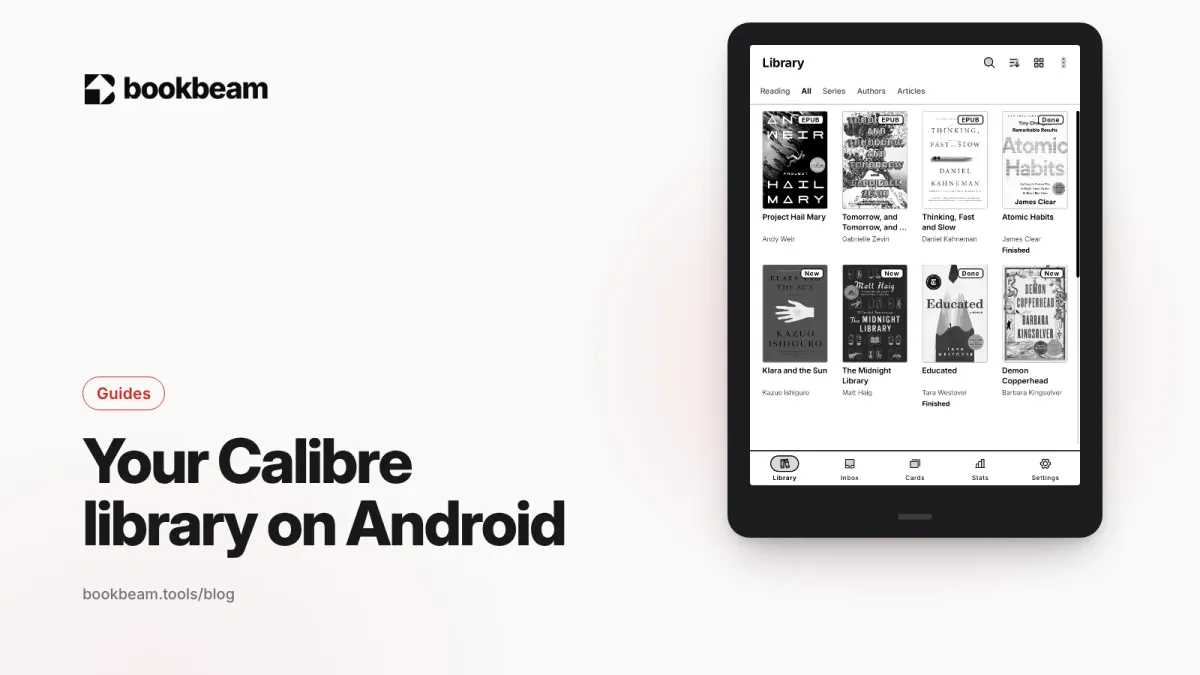
How to use your Calibre library on Android
Calibre's built-in Content server publishes your library as an OPDS catalog. Here's how to connect it to an OPDS-capable Android app, lock it down with a password, reach it away from home, fix the usual connection problems, and get Calibre books into Bookbeam by exporting and uploading them.
Where to get DRM-free e-books (and why it matters)
A DRM-free e-book is one you actually keep. Here's where to find them in 2026, from free classics to new fiction, how to spot DRM before you buy, and how to read your DRM-free library on Android and e-ink.
Bluetooth page turners for Android e-readers: a setup guide
A Bluetooth page turner makes e-ink reading hands-free. Here is how they work on Android, which remotes BOOX and Android readers use, how to pair and map them in your reading app, and how to fix the usual problems.
Questions or thoughts? Share them below.